How To Automate Real SEO Work
For Agencies and Enterprise Teams
Featuring 17 SEO evidence based automation workflows that use live SERP data to optimize pages and diagnose ranking issues at scale without sacrificing human-written content.

Author Eric Lancheres
SEO Researcher and Founder of On-Page.ai
Last updated May 20th 2026
A New Era Of Search Optimization
Evidence based SEO for the new search landscape
After years of speculation, Google made it official: Search is entering the AI-first era. On May 19th 2026, Google announced an AI-powered search box, an expanded AI Mode and search agents that can act on the user's behalf.
Google is calling this "a new era for AI search"
They even released new guidelines on optimizing for AI in search. And after years of Core Updates, Helpful Content Updates, Spam updates, the SERPs barely look like what we were optimizing for a few years ago....
The disruption is REAL!
Google is sending less organic traffic than it used to. AI answers are eating the top of the SERPs, and more than half the industry is convinced that SEO is dying.
They're wrong...
Or at least, they aren't seeing the whole picture.
Actually, I'd argue that 2026 is one of the best times in the history of SEO.
That's because every time there's disruption within the industry, there is rampant opportunity waiting to be exploited by people who understand what's happening before everyone else does.
The message in Google's new guidelines on AI search isn't that "SEO is dead".
In fact, it's the opposite.
Google admits that AI search features still rely on the Search index, crawlable pages, useful relevant content, technical structure, unique information, retrieval from ranking systems, and query fan-out.
In other words, the game has changed.
But the work still matters.
Actually, I’d argue the work matters more than ever because your pages need to meet MORE requirements than ever before in order to rank, across MORE search surfaces, in a MORE competitive environment.
The problem is that the work has become too large, too competitive, and too data driven to do manually at scale.
And THAT is where the opportunity is.
For the first time in history, we have AI models reaching the intelligence threshold required to perform and follow advanced, evidence-based SEO optimization workflows.
We aren't just talking about writing an article or receiving generic SEO tips.
Instead, we can now use AI models to follow actual multi-step SEO processes:
Scan a page, interpret the ranking data, identify missing / weak entities, preserve human-written content, add natural internal links, refresh outdated sections by researching the web, improve alt-text for the images, compare everything against the competitors, re-scan the results, iterate until perfect...
All while producing an audit trail.
That's the work the recipes below automate. Every one of them runs on live SERP data through the On-Page MCP connector so your agent is reading what's actually ranking right now, not what it remembers from training. Connect it to Claude or Codex and the recipes work out of the box.
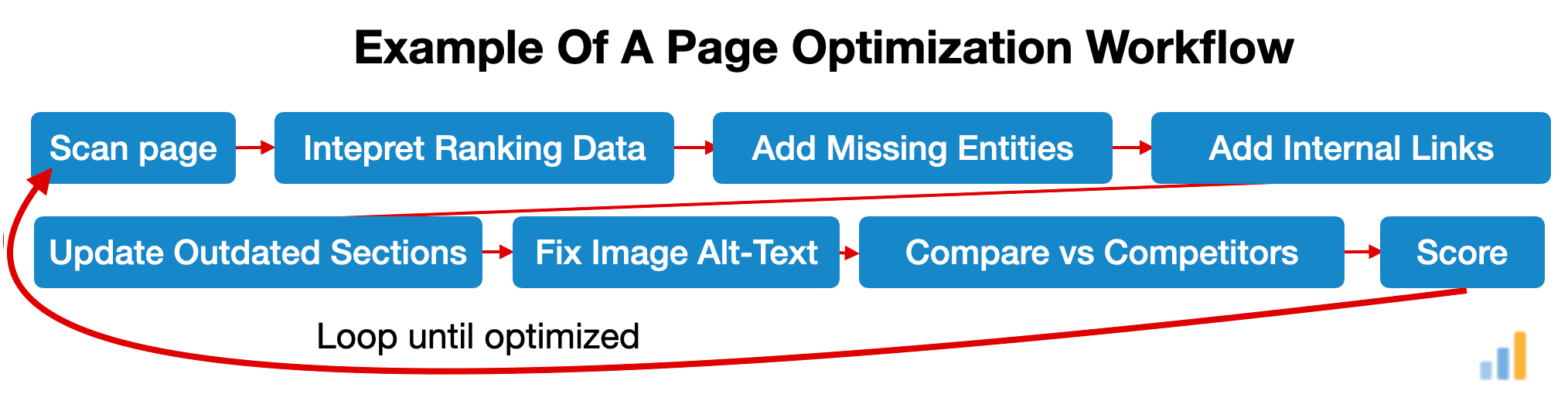
In other words, we can finally use AI to execute REAL SEO work... and we can meet all the new requirements required to rank across more search surfaces, in a more competitive environment... and do so easily and with less work than before.
The only caveat is that AI models aren't trained out-of-the-box to perform search engine optimization. (The models are intelligent enough to follow long tasks and workflows however they lack the detailed instructions and context required to perform)
Even worse, by default, AI models are terrified of doing real SEO. That's because they've absorbed a decade of Google's public messaging, reviewer guidelines, and risk-averse blog advice. So when you ask them to optimize a page, they just parrot back: "Match search intent," "Write helpful content," "Avoid over-optimization..."
None of that is wrong... It's just useless!
It won't get you from "this page isn't ranking" to:
"Here is EXACTLY what to change, in what order, and how to verify it worked so the page is moving in the right direction to maximize its ranking potential"
Fortunately, there's a straightforward solution that elevates the performance from average to excellent.
The Solution Has Three Layers
The first layer: Real-time SEO data.
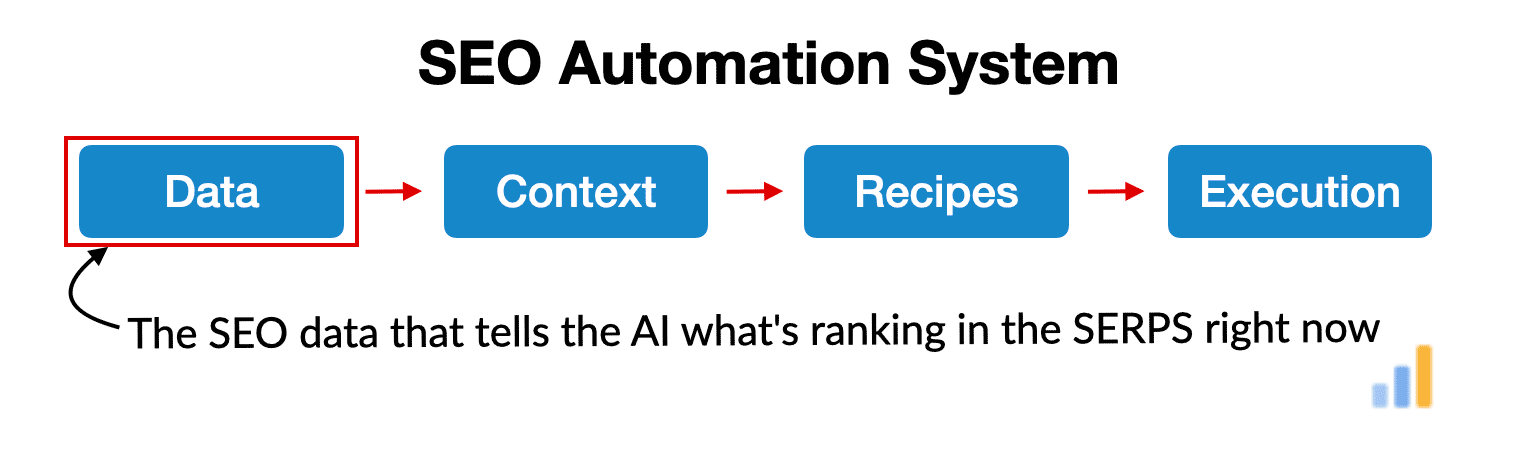
Through the On-Page.ai MCP connector, the AI agent gets access to the same kind of ranking intelligence an experienced SEO would want before touching a page: live SERP data, competitor benchmarks, entity gaps, category signals, highly related terms, algorithmic scores, internal link opportunities, page-level recommendations, and more.
This matters because the agent is no longer guessing from generic SEO advice. It can see what is ranking right now and compare your page against the actual competitive landscape.
But giving it good data alone is not enough.
A report can show missing entities, weak topical coverage, internal link opportunities, or low relevance scores.
However the AI still needs to understand what those signals mean. Which gaps matter? Which ones are noise? When should the page be expanded? When should it be left alone? How aggressive should the optimization be? How do you improve the page without destroying the human-written content that made it valuable in the first place?
That is the second layer: SEO interpretation context.
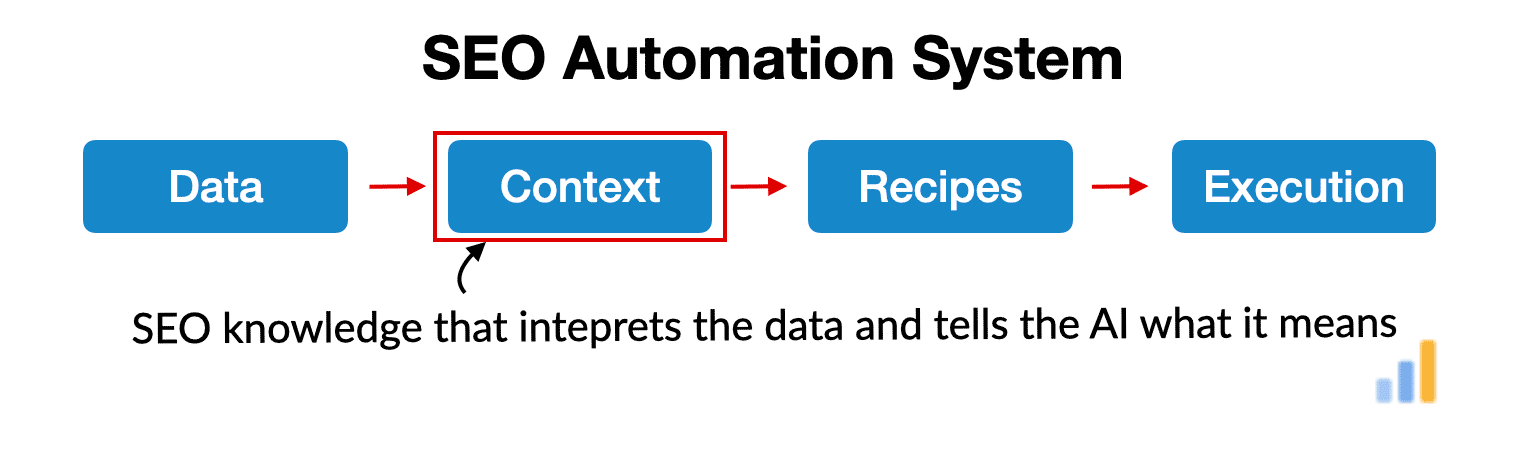
Inside the On-Page.ai MCP, I’ve provided the AI with specialized SEO resources and context files based on 17 years of real SEO experience. These teach the agent how to interpret the On-Page.ai reports, how to think about entities, topical relevance, internal links, competitor patterns, page quality, content preservation, and modern ranking techniques.
In other words, the MCP does not simply hand the AI a pile of data and say “good luck.”
It gives the AI the data and the operating context required to understand the data properly.
Then comes the third layer: The recipes.
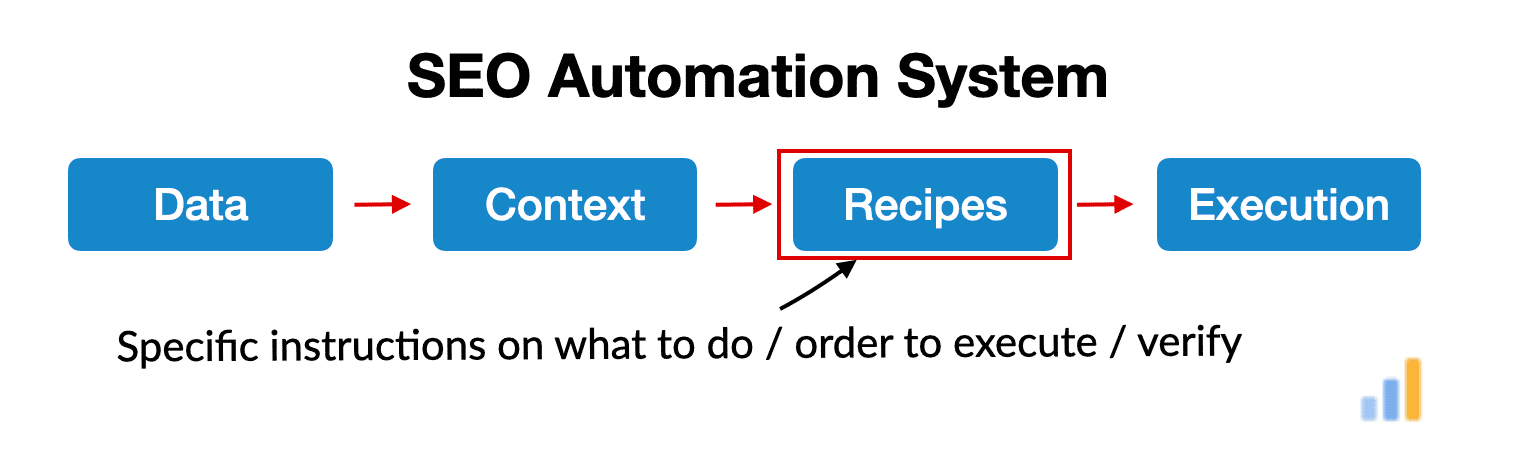
The recipes in this guide are the proven step-by-step workflows that tell the agent exactly how to apply that intelligence to real pages. These are the actual task instructions: recover a stuck page, refresh outdated content, optimize a service page, build internal links, audit a local SEO page, process a large site, create a client-ready report, or re-scan the page after changes.
Together, here's how it all looks:
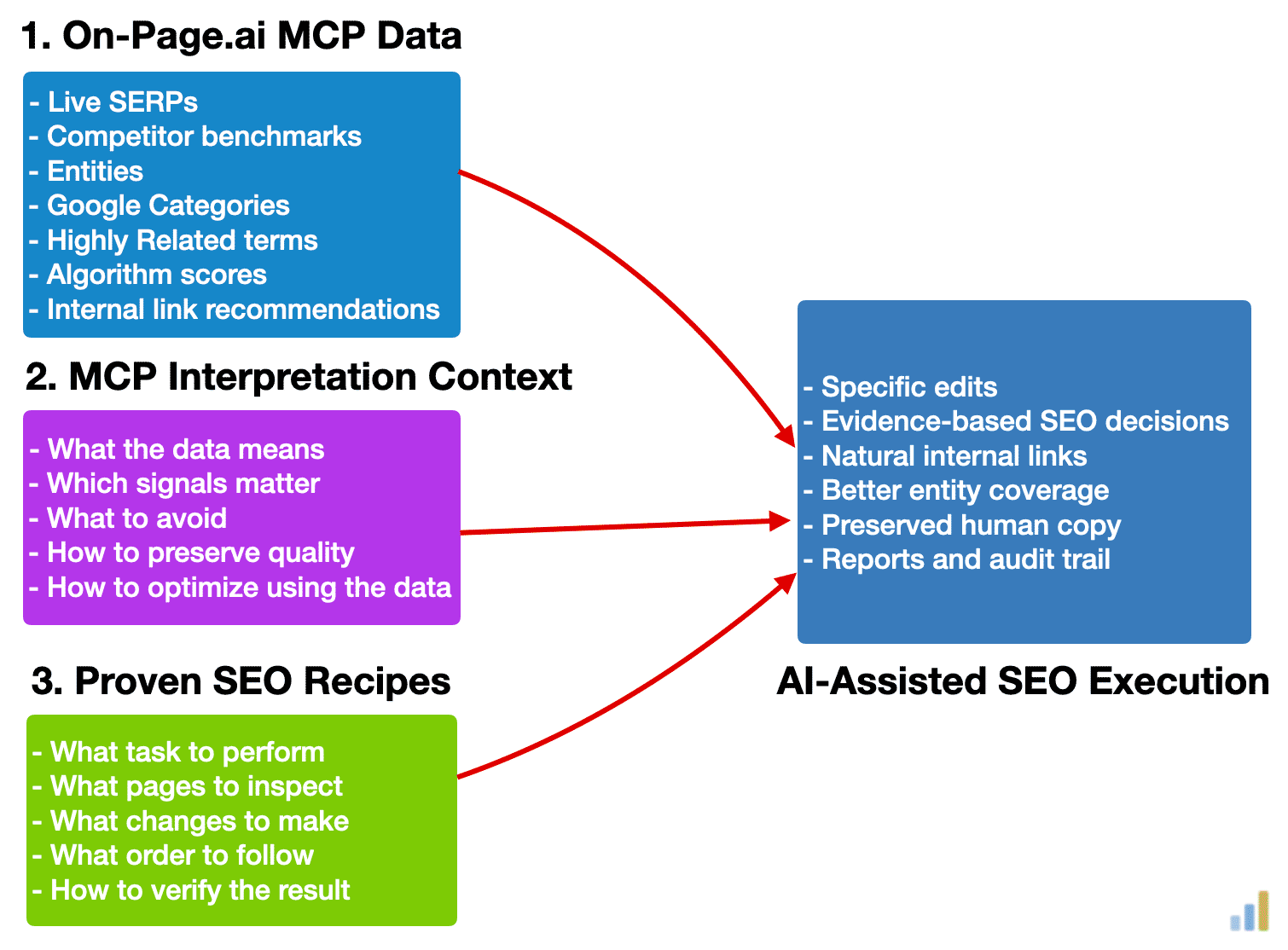
In this guide, I'll share my proven recipes (illustrated as step 3 above) for:
- Recovering a page that's stuck and refuses to rank
- Diagnosing why a page is not ranking to its full potential
- Refreshing old content that hasn't been updated in years
- Building internal links across an entire site
- Adding seamless natural anchor text links from the most relevant pages
- Optimizing the sub-headlines, image alt-text, entities
- Creating client-ready SEO audit PDFs
- Auditing local SEO pages
- Finding service + city cannibalization issues
- Processing large sites with the use of manifest-based runners (you can do anything with this!)
Each of these used to require a junior SEO, a content writer, a developer, and a project manager. Now they're recipes you can run in an afternoon.
Important
These recipes are designed to work with the On-Page.ai MCP connector.
You can technically ask an AI agent to perform SEO tasks without live ranking data, but that is where most AI SEO automation falls apart. The agent starts guessing.
The MCP connector gives the agent the SERP data, entity gaps, competitor benchmarks, related terms, category signals, internal link opportunities, and scoring data it needs to make evidence based decisions.
If you want to run the workflows below properly, connect the On-Page.ai MCP first.
My objective is to show you how to start from scratch to processing large scale sites safely while preserving human-written content. You'll be able to produce reports, audit trails, and results your agency and enterprise team can actually use.
1. If you lead an enterprise team and you're looking to rank a portfolio of sites with hundreds of thousands of pages, this is for you.
2. If you’re an SEO agency looking to improve client sites faster, create better audits, automate repetitive work, and build repeatable ranking systems, this is for you.
Warning: This new SEO is addictive and once you start with a single site... you won't be able to stop!
2. Automation Built To Preserve
(With an audit trail)
My primary rule when creating a recipe for search engine optimization is to preserve as much of the original, human-written, text as possible.
While Google states that "AI content is fine" and we have multiple examples and cases studies of AI content performing well in search, the recent Google algorithm leak suggests that there might be a value called: "racterScores" which is described as monitoring the AGC (Artificially Generated Content).
I have nothing against AI content... however the main goal with the automation isn't to re-write everything, it's to just improve and fix the small parts that need tweaking to rank!
The second rule however, is to justify each change with a piece of evidence that indicates that a modification might benefit the page. Not only does this improve performance, it allows you to scale in a consistent manner while providing justifications for changes.
While nothing is guaranteed to be 100%, you will at least have some justification to present to your your client or boss if they should ever question the decisions. In addition, in each process, we aim to have a full audit trail to both document and reverse the changes, should a need arise.
Disclaimer
If you choose to take action using any of the processes or recipes here, do so at your own risk. You are responsible for any changes you make to your website.
When it comes to automating large scale SEO changes, you are responsible for vetting each stage of the operation. The same AI model will produce slightly different responses from one instance to the next which means that what works on one site, with a specific set of instructions, might not work on another website.
I personally test a small sample first and then scale once I'm satisfied with the results.
3. SEO Automation Recipes
17 proven, ready-to-use recipes
Here are some of the recipes I have developed and used.
Jump To The SEO Automation Recipes
Use this table of contents to jump directly to the workflow you want to run.
- 1.Recover a Stuck Page in ONE Command
- 2.Site-Wide Internal Links (50 to 20,000+ pages)
- 3.Single Page Internal Links - Detailed Version
- 4.Single Page Internal Links - Simple Version
- 5.Site Wide Refresh - Fix All Your Old / Stale Pages
- 6.Light Page Refresh (Single Page)
- 7.Standard Optimization (Single Page)
- 8.Standard Optimization (Site Wide)
- 9.Full Client Website Audit (PDF)
- 10.Single Page Audit (PDF)
- 11.Advanced Page Diagnostic: Why Isn't This Page Ranking?
- 12.Sub-Headline Optimization (Single Page)
- 13.Image and Alt-Text Optimization (Single Page)
- 14.Local Page Diagnostic: Why Isn't This Local Page Ranking?
- 15.Local Page Tuning (Standard Optimization)
- 16.Local Website & GBP Alignment Verification
- 17.Local Website Cannibalization Checker (City / Region) - Audit
SEO Recipes +SEO Recipes [-]
1. Recover a Stuck Page in ONE Command
While a page might refuse to rank for a combination of on-site and off-site reasons, this recipe is designed to handle nearly all the on-site blockers that might prevent a page from performing within search engines.
Pre-Qualifications
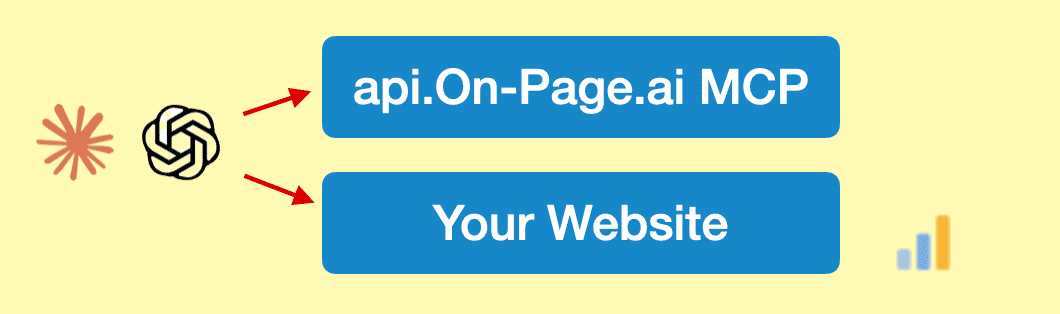
This assumes you've already connected your site within Codex / Claude Code (if you haven't, see the "How To Connect Everything" part of the guide, it's really easy) and that you already installed the On-page.ai MCP connector.
Here's my personal master prompt, this is what I copy into Codex / Claude Code:
#SELF You are performing SEO work. You will need to build a detailed task list of the steps in order to complete your SEO optimization work. Continue until the task list is complete.
- You have access to the on-page-seo MCP connector
- You have access to the target site
- You may upload, download, browse, edit the target page, create reports, etc.
#TASK
Perform a deep SEO scan & audit on the URL: "https://www.yoursite.com/url/" for the keyword: "keyword"
#RECOVERY PROCESS
1. Start by performing a deep SEO scan using the on-page-seo tool on the target URL.
2. Then read the MCP resources from the on-page-seo tool.
3. While the scan is running, verify and read the target URL page.
4. When the on-page-seo scan completes, go through each section sequentially, identifying the biggest issues preventing the page from ranking to its full potential.
Additionally,
- Check for keyword stuffing issues.
- Check for excessive entity over-usage when compared to competitors.
- Check for proper sub-headline usage (H1, H2, H3) according to the report.
- Check for excessively thin content (sub-450 words)
- Check for outdated sections.
- Check the speed benchmark section of the report for TTFB and CLS issues. If the TTFB is too high, the page might struggle to rank. If CLS is materially above 0 or worse than competitors, this might also be associated with ranking issues.
- If the scan suggests relevant internal link source pages and they do not already link back from the main content, add up to 3 seamless contextual internal links from those pages to the target URL. (We want to avoid orphan pages).
5. Identify and resolve all critical issues identified.
#OPTIMIZATION PROCESS
6. Add all the entities with importance 9, 10, and all the 'Highly Related Words' naturally into text. Light edits, preserve as much human text as possible. (Do not touch title). Prefer sentence level edits over full rewrites. If any term cannot be added naturally without hurting readability, list it in the final report as “not added” with the reason.
7. Verify that important sub-headlines are relevant to the topic / search intent and naturally include an important entity where appropriate. If the sub-headlines are relevant and contain at least 1 entity from the important entity list, do not change them. Leave the sub-headlines as-is unless there are issues. If there are no useful H2 sub-headlines, refer to the On-page-seo scan report to see if you should add any.
8. Verify that all the images have appropriate alt-text with entities inside them where natural.
9. Verify that the Google category for our content aligns with the top 3 competitors on Google. If drastically different, there might be an issue.
10. Add 3 images (Generated by Codex). If image generation is not available, list it in the final report.
11. If there are outdated sections that conflict with the user intent, you may:
- update stale dates, examples, screenshots, claims, or sections
- However you may only add facts that are verifiable from available sources
- In the event that current research is required and browsing is unavailable, flag the section for human review instead of inventing facts.
#VERIFICATION
12. Once added, re-scan with a standard scan to make sure that the related_important entity score from the on-page-seo report is higher than the competition. If not, perform one additional light tuning pass using the strongest remaining entity gaps, then re-scan. If the score is still not higher than competition after the second pass, stop and explain the remaining blockers in the report instead of forcing unnatural edits.
13. Produce a full HTML report of the changes. Provide an audit trail within the report of the changes you made. (If any task cannot be completed due to access, environment, permissions, missing tools, or unavailable data, do not ignore it. Note it in the final report with the exact reason.)
#SUCCESS
You will be successful when all the tasks are accomplished and you have produced a complete HTML report outlining the changes, justifications, before and after on-page-seo scores and have provided an audit trail.
This is a typical response that you might expect after running the page recovery process. (It worked for nearly 25 minutes, updating the page multiple times and then produced a comprehensive report.)
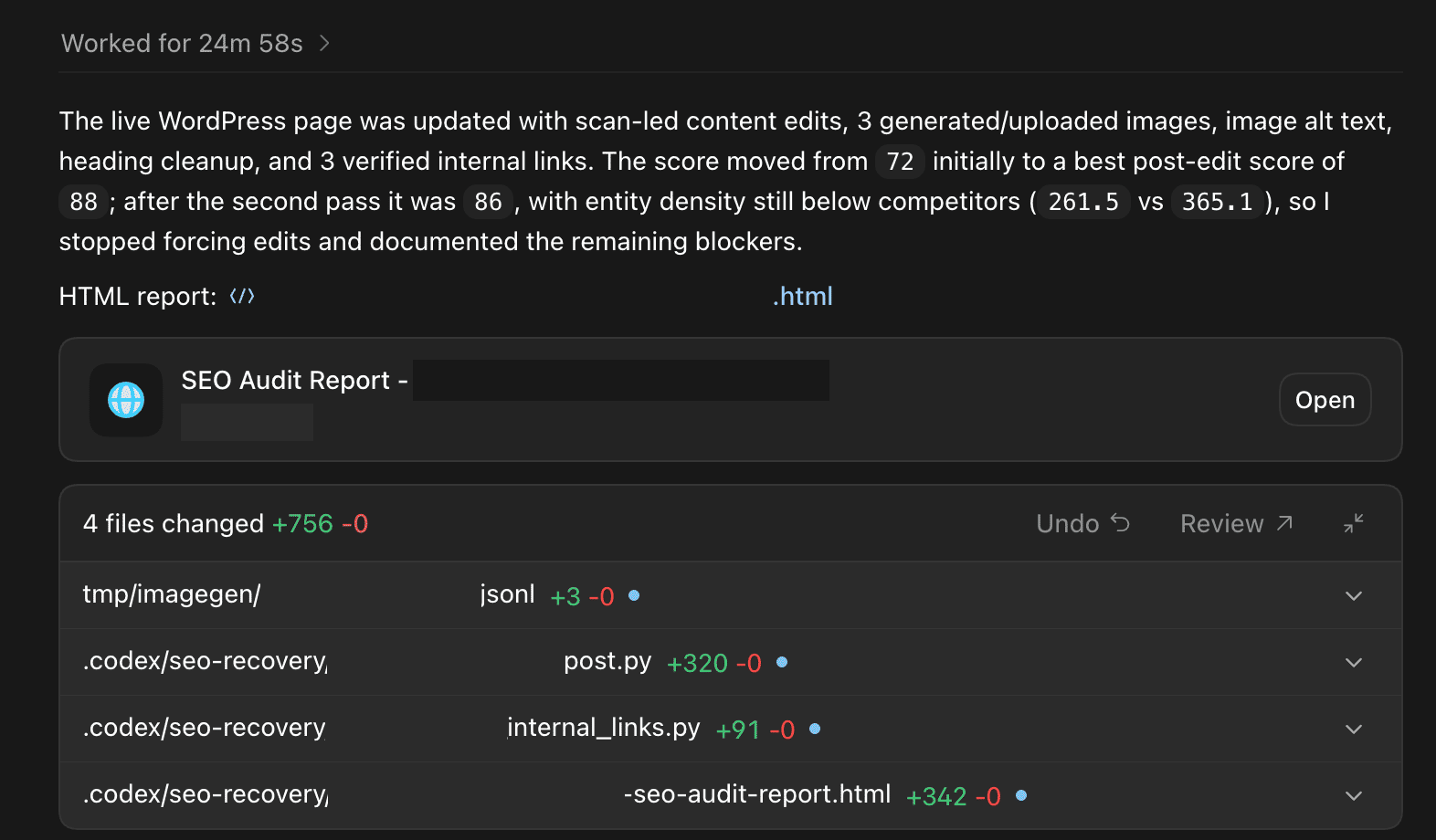
This recovery and page optimization process aims to impact 34 specific Google ranking factors. Here are the exact ranking factors that it aims to impact. (See my Google leak paper)
Ranking-factor families affected:
1. Entity retrieval and document understanding
- focusEntity
- topEntity
- webrefEntity
- salientTerms
- entity
- entityLabel
- latentEntity
- semanticNode
2. Freshness and page reprocessing
- lastSignificantUpdate
- freshnessEncodedSignals
- freshboxArticleScores
- latestPageUpdateDate
- syntacticDate
3. Content effort and originality
- contentEffort
- OriginalContentScore
- DocLevelSpamScore
- GibberishScore
4. Internal links and onsite importance
- context2
- sourceType
- locality
- bucket
- parallelLinks
- topicalityWeight
- onsiteProminence
- pagerankNs
5. Site/category alignment
- pageEmbedding
- siteEmbedding
- siteFocusScore
- siteRadius
- topPetacatTaxId
6. Query and snippet relevance
- titlematchScore
- passageembedScore
- queryScore
- salientTerms
This "Recover a stuck page" prompt has gone through dozens of iterations and evolved quite a bit over time to catch as many edge cases as I could find. It's compatible with both Claude Code and Codex however if you want to use the image generation capabilities of Codex, you'll have to use it with Codex.
I found that Claude Code performs a bit more text optimization while Codex is a little more conservative with it's edits. Both perform great.
I should caution people that because this prompt is very powerful, it should primarily be used on:
- Pages that have never ranked
- Pages that used to rank but have since disappeared from the SERPs
- Pages with severe declining traffic
If the page is already ranking in the top 10 or on page 2, you might be interested in quicker and lighter prompts for quick optimization wins.
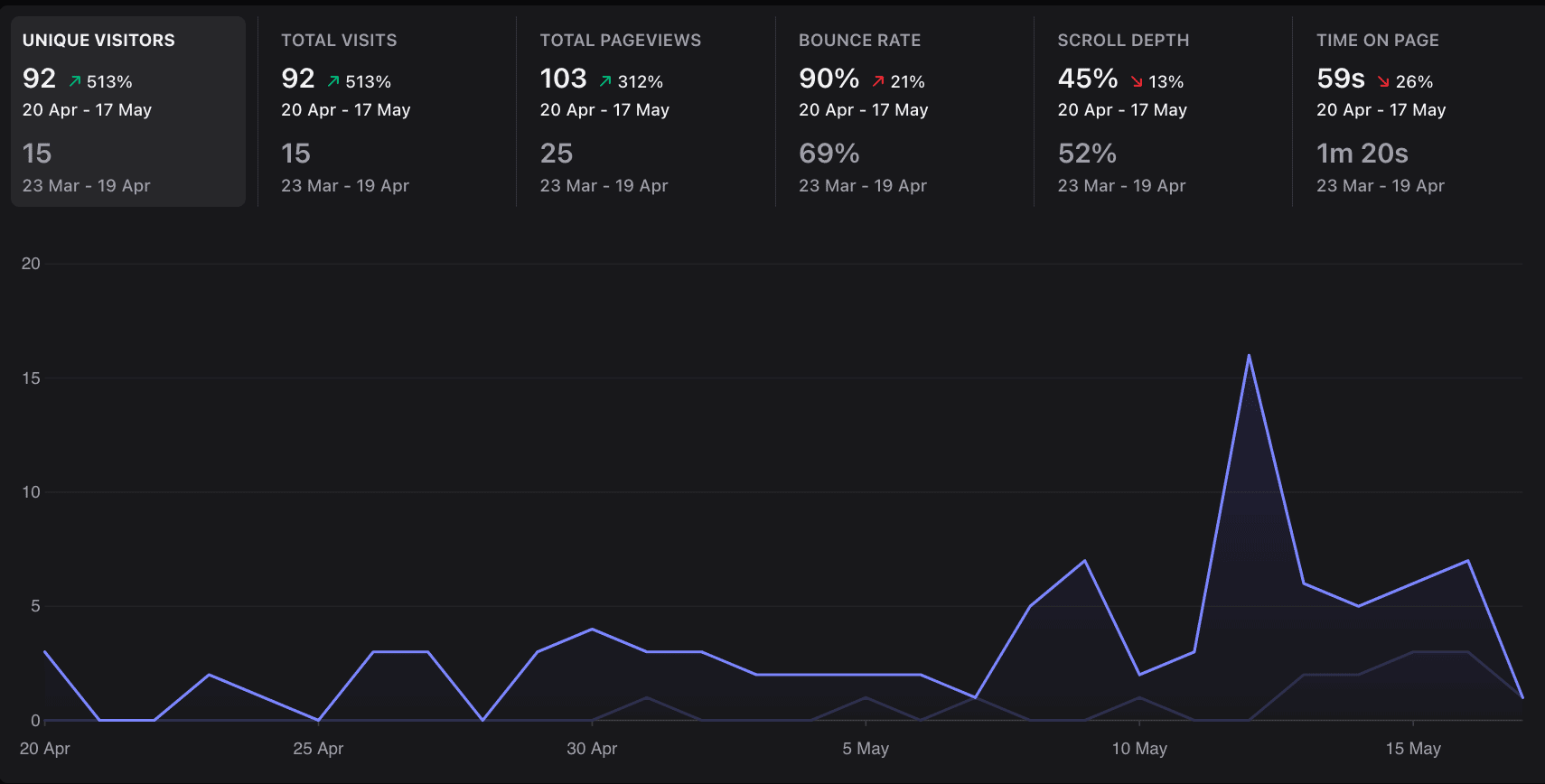
Results not typical. Don't expect this type of page surge every time, this was a special case on a test site where the page was broken and then, using AI, I fixed it.
2. Site-Wide Internal Links (50 to 20,000+ pages)
This recipe is used to build semantically relevant internal links throughout an entire website. It's designed to work for sites with a mere 50 pages and scale up to sites to 20,000+ pages.
To accomplish this, we instruct the AI agent to create a manifest and to process the internal linking task in batches. (You can adjust the batch size, by default, I set it to 75).
After the first batch completes, you can just instruct it to perform the next batch, repeating until it's complete.
#SELF You are performing SEO internal linking work. You will need to build a detailed task list of the steps in order to complete your SEO internal linking work. Continue until the task list is complete.
- You have access to the on-page-seo MCP connector
- You have access to the target site
- You may upload, download, browse, edit the target pages, create reports, write scripts, execute scripts, etc.
#TASK
Build internal links across the entire site using the sitemap: "https://www.yoursite.com/sitemap_index.xml"
NOTE: Do not try to process the entire site in one giant run. Instead, first, build a lightweight manifest of all URLs that look like eligible posts & pages based on sitemap URLs and obvious URL-pattern exclusions. Then process ONLY the selected page range for this initial run. (Do not fetch, read, scan, or extract content from all sitemap URLs while building the manifest. Only fetch/read/scan target pages in the current batch and source pages suggested by the on-page-seo scan.)
For this initial run, process manifest pages from: [1-75]
(Later, when I eventually say "continue and now do pages x", we'll load the existing manifest and continue from that page range. (Plan for this but don't do it yet). Do not rebuild or re-order the manifest unless I specifically ask you to.)
#PROCESS
1. First, write a "runner" script that pulls the full sitemap, parses all child sitemaps and creates a lightweight manifest of all URLs that look like eligible posts & pages based on sitemap URLs and obvious URL-pattern exclusions.
2. We want the script to create the manifest of the URLs to process. In the manifest, include:
- manifest position / page number
- target URL
- scan status
- source pages suggested
- source pages checked
- links added, including source URL, target URL and anchor text
- skipped reason
- final verification status
- current run status
- cumulative status across all runs
3. Then save the manifest in this directory so that if the process gets interrupted for any reason, we can continue and resume from where it left off.
Important:
- The manifest order is the source of truth.
- Page range 1-250 means manifest positions 1 through 250.
- Page range 251-1000 means manifest positions 251 through 1000.
- Do not re-order the manifest between runs.
- Do not duplicate links that were already added in previous runs.
4. The script / runner should process the selected page range in batches:
a) Take the next 10 pending target pages from the selected page range
b) Run the on-page standard scans for those pages
c) Keep a maximum of 5 scans running at once
d) Wait for the on-page scans to complete
e) Add the internal links suggested from the internal link opportunities suggested section. You will need to edit the pages.
f) Verify links were added
g) Save and update progress in the manifest
h) Move to the next batch
5. If for any reason the MCP connector cannot be called directly from the script, then use the script for the sitemap extraction, manifest, batching, tracking and reporting, and use the on-page-seo MCP connector manually inside this agent session for each URL in the batch. Update the manifest after each page.
6. Do not start the next batch until the current batch is scanned, processed, verified, and saved.
#BATCH SETTINGS
Total target pages to process this run: [75]
Page range to process this run: [1-75]
Batch size: [10]
Max scans running at once: [5]
Max internal links to add per target page: [3]
Max source pages to check per target page: [3]
Max total internal links to add this run: [750]
Manifest file: sitename-internal-linking-manifest.json
Report file: sitename-internal-linking-report.html
## Source page pool:
When it comes to building links, you may use ALL eligible content pages from the full manifest as possible source pages (not only the current batch). The current batch is only the list of target pages we are trying to build links TO. (However, do not manually inspect all source pages from the manifest. Use the source pages suggested by the on-page-seo standard scan, then check only those suggested source pages.)
## Exclude obvious non-content pages, we don't want to build links here:
- category pages
- tag pages
- author pages
- search pages
- archive pages
- cart / checkout pages
- login pages
- paginated pages
- terms of service pages, privacy policy, maps / contact us pages.
#RESUME / CONTINUE PROCESS
The manifest should be built in a way that supports resuming and continuing. If a manifest already exists:
- Load the existing manifest
(Do not rebuild it unless I specifically ask you to and do not re-order it)
- Continue from the requested page range
- Preserve previous scan statuses, source pages checked, links added, skipped reasons and verification status
- Skip pages that are already completed unless I specifically ask you to re-process them
- Continue with the next pending page in the requested range
#INTERNAL LINKING PROCESS
1. For each target page in the current batch, you'll have to determine the best keyword to use for the on-page standard scan. (You have to infer it from the page title, H1, URL slug, and content.)
2. Then for each target page, run an on-page standard scan using the on-page-seo tool.
3. When the on-page-seo scan completes, within the report, you'll have the 3 pages with most relevance for internal links.
4. For each of the 3 suggested internal link source pages, check them to see if they are already present and/or linking from the main content.
##When you receive an on-page standard scan report:
- Verify that the suggested source page has main content. ie: it's not a category page, tag page, search page, author page, archive page, etc. If that type of page is suggested, then we just skip/ignore that internal link recommendation.
- Verify that the source page does not already link to the target page from the main content.
(If the source page already links to the target page from the main content, mark it as already done and move to the next one.)
- If the source page does not have useful main content, skip it and note the reason in the report.
- If the source page is relevant, has main content, and is not already linking to the target page, then perform a minor edit the text to seamlessly add a natural anchor text link within the main content. (The anchor text should be chosen naturally based on the sentence and surrounding paragraph.)
- Prefer links inside the actual article / page content, not menus, sidebars, footers, related post boxes, etc.
- In the event that you cannot add a natural link because the content is completely irrelevant, then note it in the manifest and the final report.
5. For each target, you'll want to create up to 3 seamless contextual internal links.
6. In the event that a same source page is suggested multiple times, keep track of previous edits so that we don't edit the same page in a messy way.
7. If a target page has no good internal link opportunities (nothing was returned in the standard on-page scan or no good / valid links were in the scan), note it in the report.
8. Continue going through the batch until each target page in the current batch has been processed.
9. When you complete the current batch, save the manifest, update the report, then move to the next batch until you've processed the pre-determined amount of URLs this run.
#VERIFICATION
10. Once internal links have been added, verify each edited source page and confirm that the internal link exists in the main content.
11. Verify that each target URL received the correct number of internal links, up to 3 where possible.
12. Verify that the batch was saved before continuing.
13. If any task cannot be completed due to access, environment, permissions, missing tools, no main content, already existing links, unavailable data or failed scans. Note it in the final report.
14. Produce a full HTML report file of the changes. Provide an audit trail within the report of the changes you made.
#REPORT
The final HTML report should include:
- sitemap used
- total URLs pulled from sitemap
- total eligible URLs in the manifest
- page range processed in this run
- total target pages selected in this run
- batch size used
- number of batches processed
- total target pages processed
- total standard scans performed
- total source pages checked
- total internal links added
- total pages skipped
- target URL
- manifest position / page number
- keyword / topic used for the scan
- suggested source pages from the on-page-seo scan
- source pages checked
- anchor text used
- final source URL
- final target URL
- skipped pages
- failed scans
- access issues
- completed page ranges
- next recommended page range to process
- complete audit trail
#SUCCESS
You will be successful when all the target pages in the selected page range have been processed in controlled batches, all possible seamless contextual internal links have been added from relevant source pages, all skipped items have been explained, the manifest has been saved, and you have produced a complete HTML report outlining the changes, justifications, source URLs, target URLs, anchor text used and have provided an audit trail.
Below is a a typical response that you might expect after running the initial batch of the internal linking process. (It worked for 28 minutes, adding internal links where appropriate.) Crucially, you'll notice that it skipped pages that already had the recommended internal links, it also ignored pages without main content or good linking opportunities.
In other words, it didn't blindly add internal links (which would lower the quality of your site) and instead, it intelligently added links where appropriate.
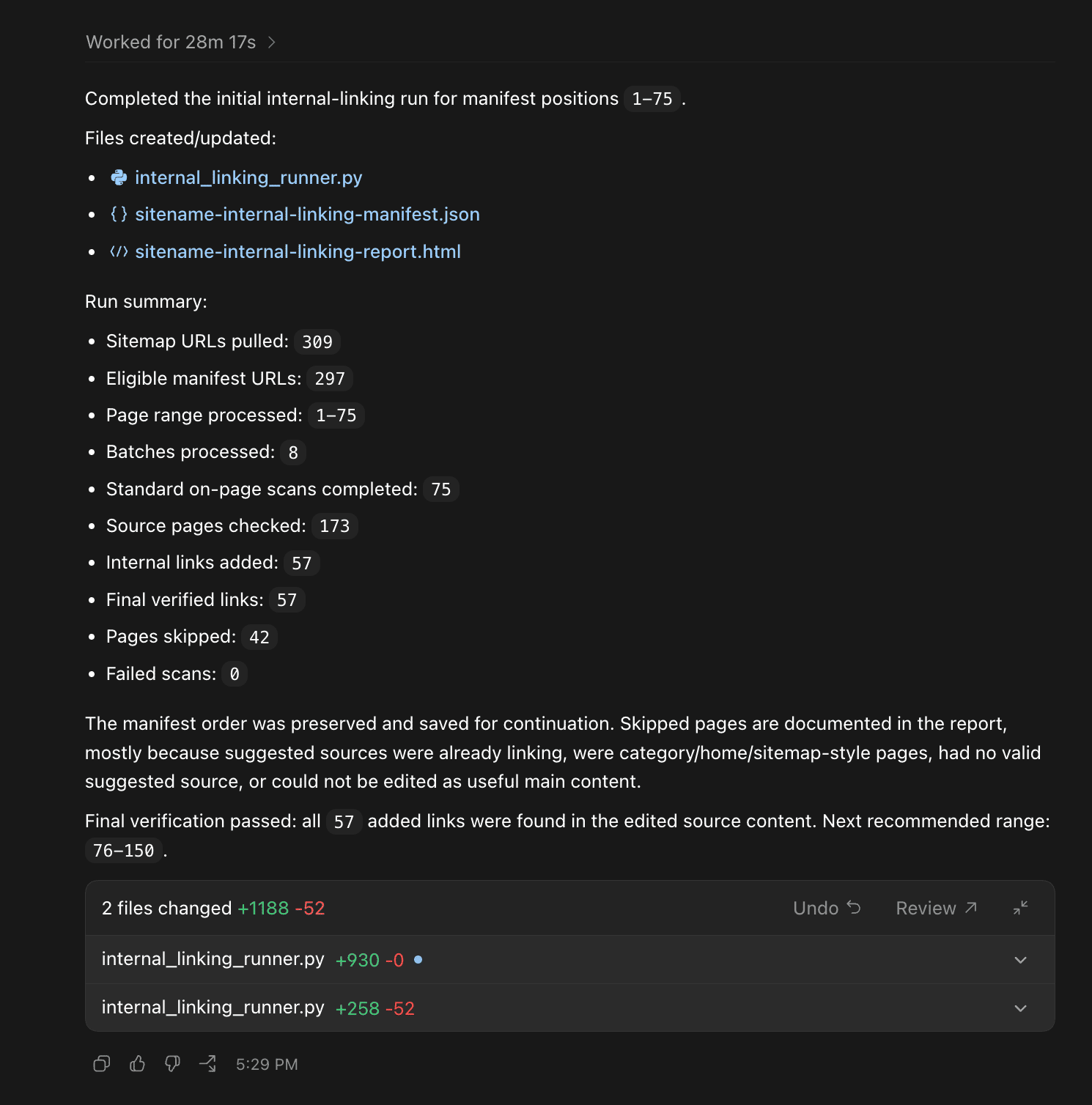
Then to continue the batch after you've completed the first 75. Use the following prompt:
2b. Continue / Resume Internal Linking
#CONTINUE / RESUME INTERNAL LINKING
Continue the site-wide internal linking process using the existing manifest file.
Do not rebuild the manifest.
Do not re-order the manifest.
Do not start over.
Do not duplicate links that were already added in previous runs.
For this run, process manifest pages from: [76-150]
Use the same settings as before:
- Batch size: [10]
- Max scans running at once: [5]
- Max internal links to add per target page: [3]
- Max source pages to check per target page: [3]
- Report file: sitename-internal-linking-report.html
Load the existing manifest and continue from the requested page range.
Preserve previous scan statuses, source pages checked, links added, skipped reasons and verification status.
Skip pages that are already completed.
Continue with the next pending page in the requested range.
For each target page in this range:
1. Determine the best keyword to use for the on-page standard scan.
2. Run an on-page standard scan using the on-page-seo tool.
3. When the scan completes, use the 3 pages with most relevance for internal links.
4. Check each suggested source page to see if it already links to the target page from the main content.
5. If the source page is relevant, has main content, and is not already linking to the target page, perform a minor edit to seamlessly add a natural anchor text link within the main content.
6. Verify the link was added.
7. Update the manifest.
8. Update the report.
Do not start the next batch until the current batch is scanned, processed, verified, and saved.
When complete, update the HTML report with:
- page range processed in this run
- total target pages processed
- total standard scans performed
- total source pages checked
- total internal links added
- skipped pages
- failed scans
- access issues
- completed page ranges
- next recommended page range to process
- complete audit trail
This will continue your internal linking process, trusting the manifest and proceeding with the next batch. After you've completed one detailed continue/resume... the AI no longer needs as many instructions to continue.
A simple push can suffice.
2c. Follow-up Continue / Resume Internal Linking
Continue the site-wide internal linking process using the existing manifest.
Do not rebuild or re-order the manifest.
Now process manifest pages from: [151-300]
Use the same settings as before:
- Batch size: [10]
- Max scans running at once: [5]
- Max internal links to add per target page: [3]
- Max source pages to check per target page: [3]
Skip pages already marked completed.
Continue with the next pending page in this range.
Save the manifest and update the HTML report after every batch.
And with this, you should be able to go through your entire manifest, no matter how long it is.
However, in the event of a failure / issue at some point, here's an emergency 'resume' prompt you can use.
2d. Emergency "Process Interrupted" Resume
#RESUME INTERRUPTED INTERNAL LINKING RUN
Resume the site-wide internal linking process using the existing manifest.
The previous requested range was: [76-150]
Do not rebuild the manifest.
Do not re-order the manifest.
Do not start over.
Do not duplicate links that were already added.
Load the existing manifest, find the next pending page in the requested range, and continue from there.
Preserve previous scan statuses, source pages checked, links added, skipped reasons and verification status.
Skip completed pages.
Continue processing in batches of 10 with a maximum of 5 scans running at once unti you complete the requested range.
When complete, save the manifest and update the HTML report.
Internal linking is one of the most underrated website strengthening actions you can take as a webmaster as internal links affect a multitude of ranking factors.
The only caveat from this is that because many of these internal links have been added as seamless edits, they might not trigger a Google re-scoring event. (However the next time Google re-evaluates the page, these ranking factors will be influenced).
Ranking-factor families affected:
Directly from internal links
- context2
- sourceType
- isLocal
- locality
- bucket
- parallelLinks
- topicalityWeight
- SimplifiedAnchor / onsite anchors
- scoreFromOnsite
- scoreFromOnsiteFragment
- totalVolumeFromOnsite
- pageTags
- pagerankNs / PagerankNS
- onsiteProminence
- hyperlink
Secondary effect
- matchedScore
- matchedScoreInfo
- phrasesScore
- text
- site
- spamrank
- spamscore2
- siteEmbedding
- pageEmbedding
- siteFocusScore
- siteRadius
- TopPetacatTaxID
- semanticNode
- topic
3. Single Page Internal Links - Detailed Version
If you only want to build internal links for a single page, then this is the "1 page version" of the site-wide internal linking, building internal links for a single page. It's a bit overkill in terms of precision (which was needed when you're doing this site wide linking) however it can be useful if you're building an automated process. If you're just solo-dev'ing your own site, then skip this one and use the highly simplified version.
#SELF You are performing SEO internal linking work.
- You have access to the on-page-seo MCP connector
- You have access to the target site
- You may upload, download, browse, edit the target pages, create reports, etc.
#TASK
Build internal links pointing to this target page: "https://yoursite.com/yourtargetURL/"
#PROCESS
1. First, verify and read the target URL page.
2. Determine the best keyword / topic to use for the on-page standard scan. If a keyword was provided, use that. If not, infer it from the page title, H1, URL slug, and content.
3. Run an on-page standard scan using the on-page-seo tool for the target URL and keyword / topic.
4. When the on-page-seo scan completes, within the report, you'll have the 3 pages with most relevance for internal links.
5. For each of the 3 suggested internal link source pages, check them to see if they are already present and/or linking from the main content.
#INTERNAL LINKING PROCESS
##When you receive an on-page standard scan report:
- Verify that the suggested source page has main content. ie: it's not a category page, tag page, search page, author page, archive page, etc. If that type of page is suggested, then we just skip/ignore that internal link recommendation.
- Verify that the source page does not already link to the target page from the main content.
(If the source page already links to the target page from the main content, mark it as already done and move to the next one.)
- If the source page does not have useful main content, skip it and note the reason in the report.
- If the source page is relevant, has main content, and is not already linking to the target page, then perform a minor edit the text to seamlessly add a natural anchor text link within the main content. (The anchor text should be chosen naturally based on the sentence and surrounding paragraph.)
- Prefer links inside the actual article / page content, not menus, sidebars, footers, related post boxes, etc.
- In the event that you cannot add a natural link because the content is completely irrelevant, then note it in the final report.
6. For this target page, you'll want to create up to 3 seamless contextual internal links.
7. If there are fewer than 3 good internal link opportunities, only add the valid ones and explain why the others were skipped.
8. If the target page has no good internal link opportunities (nothing was returned in the standard on-page scan or no good / valid links were in the scan), note it in the report.
#VERIFICATION
9. Once internal links have been added, verify each edited source page and confirm that the internal link exists in the main content.
10. Verify that the target URL received the correct number of internal links, up to 3 where possible.
11. If any task cannot be completed due to access, environment, permissions, missing tools, no main content, already existing links, unavailable data or failed scans. Note it in the final report.
12. Produce a full HTML report file of the changes. Provide an audit trail within the report of the changes you made.
#REPORT
The final HTML report should include:
- target URL
- keyword / topic used for the scan
- suggested source pages from the on-page-seo scan
- source pages checked
- total source pages checked
- total internal links added
- anchor text used
- final source URL
- final target URL
- whether the source page already linked to the target
- whether the source page had main content
- complete audit trail
#SUCCESS
You will be successful when the target page has been processed, all possible seamless contextual internal links have been added from relevant source pages, all skipped items have been explained, and you have produced a complete HTML report outlining the changes, justifications, source URLs, target URL, anchor text used and have provided an audit trail."
4. Single Page Internal Links - Simple Version
If you're just working on a single page and want a quick way to build relevant internal links through your terminal, you can use the simplified internal linking prompt. It retains most of the guardrails, produces no report and just adds internal links (where appropriate) for a target page. Quick and simple.
#SELF You are performing SEO internal linking work.
- You have access to the on-page-seo MCP connector
- You have access to the target site
- You may upload, download, browse, edit the target pages, create reports, etc.
#TASK
1. Run a standard on-page-seo scan on: "https://yoursite.com/yourtargetURL/"
2. Retrieve the internal link suggestions from the report.
3. Verify the source pages to see if if they links already exist.
4. If they don't exist, build the links through seemless edits.
#NOTES
- Verify that the suggested source page has main content. ie: it's not a category page, tag page, search page, author page, archive page, etc. If that type of page is suggested, then we just skip/ignore that internal link recommendation.
- Verify that the source page does not already link to the target page from the main content.
(If the source page already links to the target page from the main content, mark it as already done and move to the next one.)
- If the source page does not have useful main content, skip it and note the reason in the report.
- If the source page is relevant, has main content, and is not already linking to the target page, then perform a minor edit the text to seamlessly add a natural anchor text link within the main content. (The anchor text should be chosen naturally based on the sentence and surrounding paragraph.)
- Prefer links inside the actual article / page content, not menus, sidebars, footers, related post boxes, etc.
- In the event that you cannot add a natural link because the content is completely irrelevant, then note it in the final report.
Build internal links pointing to this target page: "https://yoursite.com/yourtargetURL/"
Remember to add your URL in both places for the simplified internal linking prompt. And keep in mind, if you're already discussing your webpage with the agent and have some context, you can sometimes just ask it casually to build internal links without any guidance / guardrails and it will do a perfectly fine job. These prompts here are designed for minimal / no context sessions.
5. Site Wide Refresh - Fix All Your Old / Stale Pages
Remember to add your URL in both places for the simplified internal linking prompt. And keep in mind, if you're already discussing your webpage with the agent and have some context, you can sometimes just ask it casually to build internal links without any guidance / guardrails and it will do a perfectly fine job. These prompts here are designed for minimal / no context sessions.
#SELF You are performing light SEO work.
You will need to build a detailed task list of the steps in order to complete your work. Continue until the task list is complete.
- You have access to the on-page-seo MCP connector
- You have access to the target site
- You may upload, download, browse, edit the target pages, create reports, write scripts, execute scripts, etc.
#TASK
Perform a light SEO refresh on each page of the site using the sitemap: "https://www.yoursite.com.com/sitemap_index.xml".
Build the manifest using the sitemap's last modified dates, sorted oldest first, so posts / pages that have not been modified in the longest time are refreshed before newer posts / pages.
NOTE: Do not try to process the entire site in one giant run. Instead, first, build a lightweight manifest of all URLs that look like eligible posts & pages based on sitemap URLs and obvious URL-pattern exclusions. Then process ONLY the selected page range for this initial run. (Do not fetch, read, scan, or extract content from all sitemap URLs while building the manifest. Only fetch/read/scan target pages in the current batch.)
For this initial run, process manifest pages from: [1-10]
(Later, when I eventually say "continue and now do pages x", we'll load the existing manifest and continue from that page range. (Plan for this but don't do it yet). Do not rebuild or re-order the manifest unless I specifically ask you to.)
#PROCESS
1. 1. First, write a "runner" script that pulls the full sitemap, parses all child sitemaps, reads the URL and last modified date from the sitemap, then creates a lightweight manifest of all URLs that look like eligible posts & pages based on sitemap URLs and obvious URL-pattern exclusions. Sort the manifest by last modified date, oldest first.
2. We want the script to create the manifest of the URLs to process. In the manifest, include:
- manifest position / page number
- last modified date from sitemap
- target URL
- scan status
- entities added
- highly related words added
- short paragraph added
- image alt-text updated
- image added
- skipped reason
- final verification status
- current run status
- cumulative status across all runs
3. Then save the manifest in this directory so that if the process gets interrupted for any reason, we can continue and resume from where it left off.
Important:
- The manifest order is the source of truth.
- Page range 1-20 means manifest positions 1 through 20.
- Page range 21-40 means manifest positions 21 through 40.
- Do not re-order the manifest between runs.
- Do not fetch/read/scan all pages just to build the manifest.
- Only fetch/read/scan the target pages in the current batch.
- Sort the manifest by the sitemap's last modified date, oldest first.
- If a URL does not have a last modified date in the sitemap, keep it after the dated URLs and preserve sitemap order for those URLs.
4. The script / runner should process the selected page range in batches:
a) Take the next 20 pending target pages from the selected page range
b) Run the on-page Lite scans for those pages
c) Keep a maximum of 5 scans running at once
d) Wait for the on-page scans to complete
e) Add an appropriate quantity of important entities and Highly Related Words naturally into the text
f) Verify image alt-text
g) Add one short paragraph only if the content is shorter than average / thin compared to the competition
h) Add one generated image where useful if using Codex and the environment supports it
i) Save and update progress in the manifest
5. If for any reason the MCP connector cannot be called directly from the script, then use the script for the sitemap extraction, manifest, batching, tracking and reporting, and use the on-page-seo MCP connector manually inside this agent session for each URL in the batch. Update the manifest after each page. Do not update pages without the guidance of the on-page-seo report.
#BATCH SETTINGS
Total target pages to process this run: [10]
Page range to process this run: [1-10]
Batch size: [10]
Max scans running at once: [5]
Scan type: [Lite Scan]
Max new paragraph additions per page: [1]
Max generated images to add per page: [1]
Manifest file: sitename-content-refresh-manifest.json
Report file: sitename-content-refresh-report.html
## Exclude obvious non-content pages, we don't want to refresh these:
- category pages
- tag pages
- author pages
- search pages
- archive pages
- cart / checkout pages
- login pages
- paginated pages
- terms of service pages, privacy policy, maps / contact us pages.
#RESUME / CONTINUE PROCESS
The manifest should be built in a way that supports resuming and continuing. If a manifest already exists:
- Load the existing manifest
(Do not rebuild it unless I specifically ask you to and do not re-order it)
- Continue from the requested page range
- Preserve previous scan statuses, entities added, Highly Related Words added, image alt-text updates, short paragraph additions, skipped reasons and verification status
- Skip pages that are already completed unless I specifically ask you to re-process them
- Continue with the next pending page in the requested range
#CONTENT REFRESH PROCESS
1. For each target page in the current batch, you'll have to determine the best keyword to use for the on-page Lite scan. (You have to infer it from the page title, H1, URL slug, and content.)
2. Then for each target page, run an on-page Lite scan using the on-page-seo tool.
3. When the on-page-seo Lite scan completes, go through the entity data and identify:
- entities with importance 9
- entities with importance 10
- Highly Related Words
- content length / word count compared to the competition
- image alt-text issues if available
- any obvious outdated sections that conflict with user intent
4. Add an appropriate quantity of entities with importance 9, 10 and 'Highly Related Words' naturally into the text. Light edits, preserve as much human text as possible. (Do not touch title). Prefer sentence level edits over full rewrites.
5. If any term cannot be added naturally without hurting readability, list it in the final report as “not added” with the reason.
6. This is a light content refresh. Preserve the human writing as much as possible. Preserve the title. Preserve the slug. Preserve the structure unless there is an obvious issue.
7. If the content is shorter than average, add a maximum of one new short paragraph of text.
8. The new short paragraph should:
- fit naturally into the existing page
- include missing importance 9 / 10 entities or Highly Related Words where natural
- add useful information to the reader
- not be longer than needed
9. If the content is not shorter than average, do not add a new paragraph just to add one. Only add the entities and Highly Related Words naturally into the existing text.
10. Verify that all the images have appropriate alt-text with entities inside them where natural.
11. If an image has missing or weak alt-text, update the alt-text so that it is descriptive and relevant to the page topic. Use entities where natural.
12. If appropriate, use your built-in image generator (Codex has a built in image generator) to add one new generated image where appropriate within the content if the environment supports it.
13. If there are obvious outdated sections that conflict with the user intent, you may:
- update stale dates, examples, screenshots, claims, or sections
- However you may only add facts that are verifiable from available sources
- In the event that current research is required and browsing is unavailable, flag the section for human review instead of inventing facts.
14. In the event that a page is too thin, broken, irrelevant, or cannot be refreshed naturally, note it in the manifest and the final report.
15. Continue going through the batch until each target page in the current batch has been processed.
16. When you complete the current batch, save the manifest and update the report.
#VERIFICATION
Do not re-scan after editing. The initial Lite scan before editing is the only scan required for this light refresh process.
17. Once the light refresh edits have been made, verify:
- The original title was preserved.
- The original slug was preserved.
- The structure was preserved unless there was an obvious issue.
- The page still reads naturally.
- The human writing was preserved as much as possible.
- Importance 9 / 10 entities were added naturally where possible.
- Highly Related Words were added naturally where possible.
- The new short paragraph was only added if the page was shorter than average / thin compared to competition.
- Image alt-text was checked and updated if necessary.
- The page was not broken during editing.
- The manifest was updated after the edit.
18. If any task cannot be completed due to access, environment, permissions, missing tools, unavailable data, failed scans, image generation not being available, or the page not being a good fit for light refresh. Note it in the final report.
19. Produce a simple HTML report file of the changes. Provide an audit trail within the report of the changes you made.
#REPORT
The final HTML report should include:
- sitemap used
- page range processed in this run
- total target pages processed
- total Lite scans performed
- total pages refreshed
- total pages skipped
- target URL
- manifest position / page number
- keyword / topic used for the scan
- entities with importance 9 / 10 added
- Highly Related Words added
- short paragraph added, yes/no
- image added, yes/no
- image alt-text updated, yes/no
- skipped pages
- access issues
- completed page range
- next recommended page range to process
- audit trail
#SUCCESS
You will be successful when all the target pages in the selected page range have been processed in controlled batches, all possible light refresh improvements have been added naturally, all skipped items have been explained, the manifest has been saved, and you have produced a simple HTML report outlining the changes, entities added, Highly Related Words added, image / alt-text updates, short paragraphs added and have provided an audit trail."
This pass is purposefully kept as light as possible. It only adds the most important missing entities to a page (you'd be surprised how often there are critical entities missing which can strengthen a page's position within the SERPs) and it aims to add the minimal amount of content to trigger a page refresh. (Just enough so that search engines feel this is a newly updated page, which it can then re-score with all the newly added entities.)
This "new paragraph" + "important missing entities" can often be just what a page needs to resurface when it starts to slide from the top of the search rankings. (As an added bonus, AI search seems to heavily favors fresh results, so this should help with visibility there as well)
Once you have completed a first batch, you may continue with the prompt below.
5b. Continue / Resume Light SEO Refresh
#CONTINUE / RESUME LIGHT SEO REFRESH
Continue the light SEO refresh process using the existing manifest.
Do not rebuild the manifest.
Do not re-order the manifest.
Do not start over.
For this run, process manifest pages from: [11-20]
Use the same settings as before:
- Batch size: [10]
- Max scans running at once: [5]
- Scan type: [Lite Scan]
- Max new paragraph additions per page: [1]
- Max generated images to add per page: [1]
- Report file: sitename-content-refresh-report.html
Load the existing manifest and continue from the requested page range.
Preserve previous scan statuses, entities added, Highly Related Words added, image alt-text updates, short paragraph additions, skipped reasons and verification status.
Skip pages that are already completed unless I specifically ask you to re-process them.
Continue with the next pending page in the requested range.
#PROCESS
For each target page in this range:
1. Determine the best keyword to use for the on-page Lite scan. Infer it from the page title, H1, URL slug, and content.
2. Run an on-page Lite scan using the on-page-seo tool.
3. When the on-page-seo Lite scan completes, go through the entity data and identify:
- entities with importance 9
- entities with importance 10
- Highly Related Words
- content length / word count compared to the competition
- image alt-text issues if available
- any obvious outdated sections that conflict with user intent
4. Add an appropriate quantity of entities with importance 9, 10 and 'Highly Related Words' naturally into the text. Light edits, preserve as much human text as possible. (Do not touch title). Prefer sentence level edits over full rewrites.
5. If the content is shorter than average, add a maximum of one new short paragraph of text.
6. Verify that all the images have appropriate alt-text with entities inside them where natural.
7. If an image has missing or weak alt-text, update the alt-text so that it is descriptive and relevant to the page topic. Use entities where natural.
8. If appropriate, use your built-in image generator (Codex has a built in image generator) to add one new generated image where appropriate within the content if the environment supports it.
9. If there are obvious outdated sections that conflict with the user intent, you may:
- update stale dates, examples, screenshots, claims, or sections
- However you may only add facts that are verifiable from available sources
- In the event that current research is required and browsing is unavailable, flag the section for human review instead of inventing facts.
10. In the event that a page is too thin, broken, irrelevant, or cannot be refreshed naturally, note it in the manifest and the final report.
11. Verify:
- The original title was preserved.
- The original slug was preserved.
- The structure was preserved unless there was an obvious issue.
- The page still reads naturally.
- The human writing was preserved as much as possible.
- Importance 9 / 10 entities were added naturally where possible.
- Highly Related Words were added naturally where possible.
- The new short paragraph was only added if the page was shorter than average / thin compared to competition.
- Image alt-text was checked and updated if necessary.
- The page was not broken during editing.
- The manifest was updated after the edit.
Do not re-scan after editing. The initial Lite scan before editing is the only scan required for this light refresh process.
When the requested page range is complete, save the manifest and update the simple HTML report with:
- page range processed in this run
- total target pages processed
- total Lite scans performed
- total pages refreshed
- total pages skipped
- target URL
- manifest position / page number
- keyword / topic used for the scan
- entities with importance 9 / 10 added
- Highly Related Words added
- short paragraph added, yes/no
- image added, yes/no
- image alt-text updated, yes/no
- skipped pages
- access issues
- completed page range
- next recommended page range to process
- audit trail
With this, you'll be able to continue through the page refreshes until you've completed the entire site or until you've updated pages until a certain date.
(For example, if you wanted to refresh all the pages that are 1 year or older, you could run batches until you reach that point. Alternatively, you could also modify the prompt to specify the exact dates you want to target).
In the event of a failure or issue, you may resume a site wide refresh with this prompt.
5c. Emergency Resume Light SEO Refresh (If Issues)
#RESUME INTERRUPTED LIGHT SEO REFRESH
Resume the light SEO refresh process using the existing manifest file: sitename-content-refresh-manifest.json
The previous requested range was: [11-20]
Do not rebuild the manifest.
Do not re-order the manifest.
Do not start over.
Load the existing manifest, find the next pending page in the requested range, and continue from there.
Preserve previous scan statuses, entities added, Highly Related Words added, image alt-text updates, short paragraph additions, skipped reasons and verification status.
Skip completed pages.
Continue using the same settings:
- Batch size: [10]
- Max scans running at once: [5]
- Scan type: [Lite Scan]
- Max new paragraph additions per page: [1]
- Max generated images to add per page: [1]
Do not re-scan after editing. The initial Lite scan before editing is the only scan required for this light refresh process.
When complete, save the manifest and update the simple HTML report.
Here's a typical example of the response after the initial site content refresh:
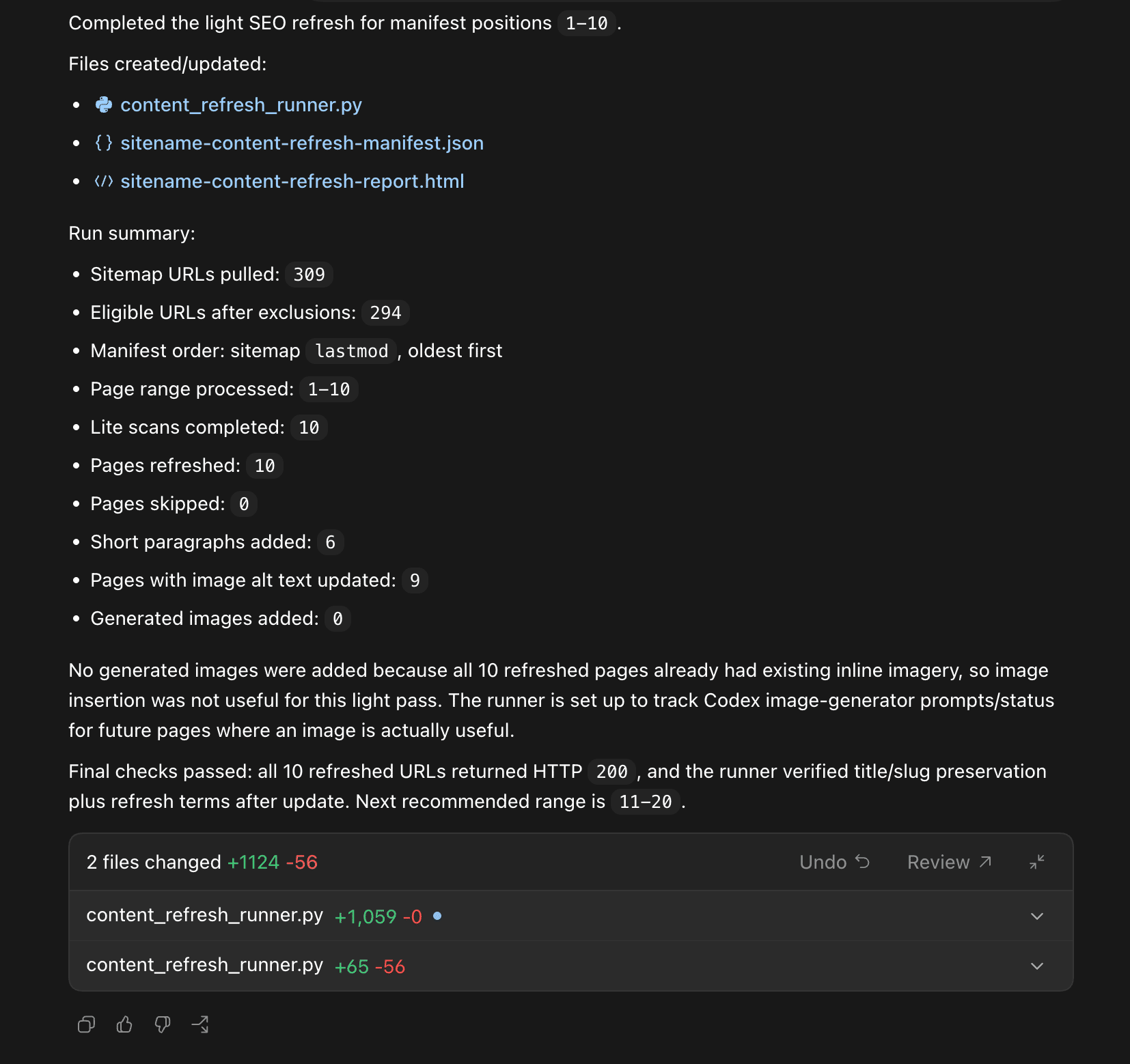
Once again, the goal is light optimization that refreshes the page without any heavy modifications that might disrupt the original author's message. Because all the pages already had sufficient images, it properly skipped the new image creation (we don't want to stuff pages with images for no reason).
That said, even with light optimization, you'll still benefit from improving many ranking factors.
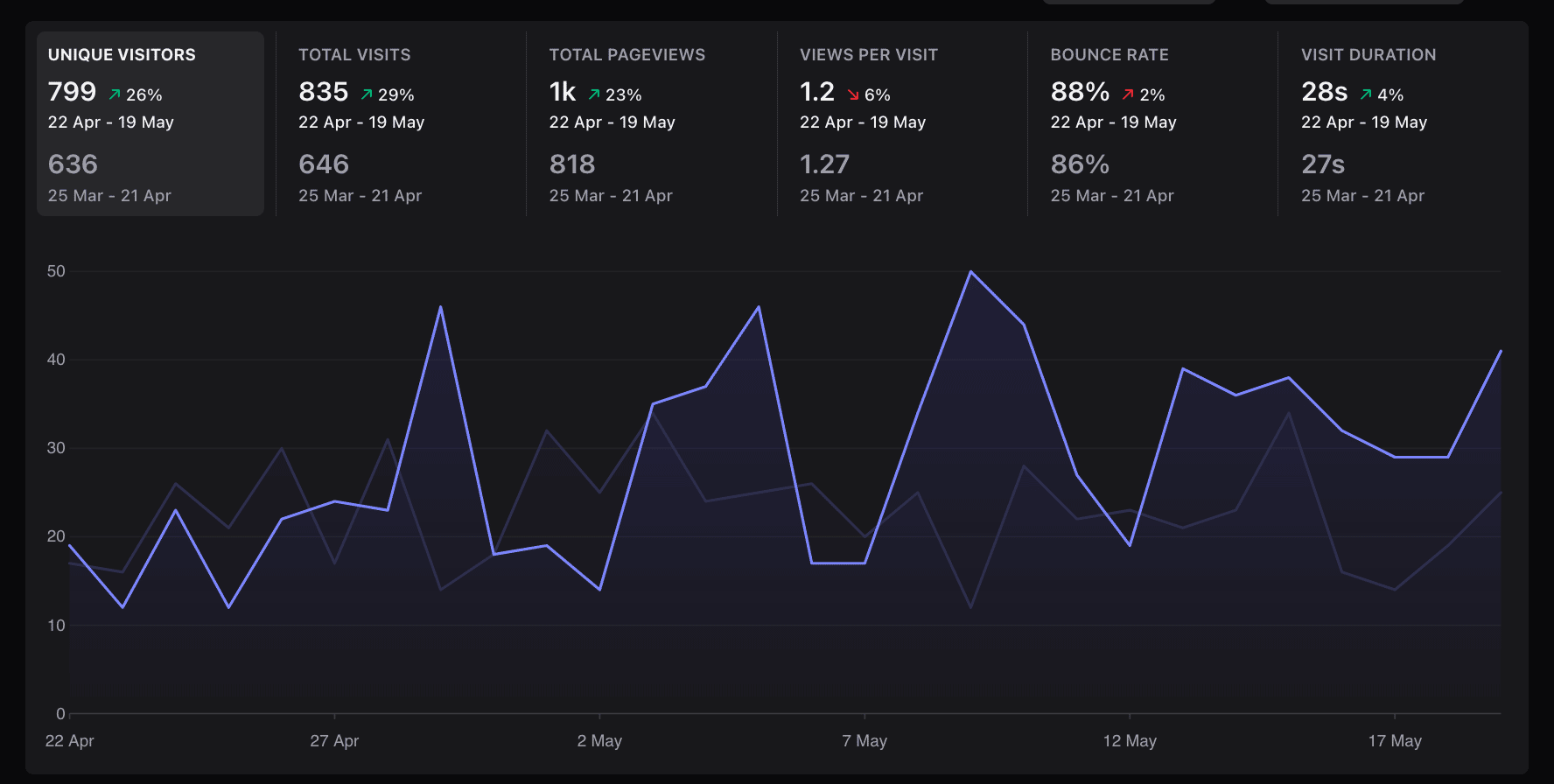
Results not typical. This was a combination of the quick Internal Linking recipe & Light SEO Refresh recipe on a small test site. The site had been neglected for a long time which is likely why it saw an increase.
Ranking-factor families affected:
Directly from content refresh
- entity
- entityLabel
- focusEntity
- topEntity
- webrefEntity
- salientTerms
- topic
- semanticNode
- lastSignificantUpdate
- syntacticDate
- latestPageUpdateDate
- freshnessEncodedSignals
- freshboxArticleScores
- datesInfo / FreshnessTwiddler
- contentEffort
- OriginalContentScore
- passageembedScore
- queryHasPassageembedEmbeddings
- queryScore
- radishScore
- petacatInfo
Secondary:
- pageEmbedding
- siteEmbedding
- siteFocusScore
- siteRadius
- TopPetacatTaxID
- clusterUplift
- DocLevelSpamScore
- GibberishScore
- SpamWordScore
- spamtokensContentScore
- spambrainDomainSitechunkData
6. Light Page Refresh (Single Page)
Here's the single page version. If I was being cautious and just wanted to test the waters, this is where I'd start.
#SELF
You are performing SEO work.
- You have access to the on-page-seo MCP connector
- You have access to the target site
- You may upload, download, browse, edit the target page, create reports, etc.
#TASK
Perform a light SEO refresh on the URL "https://www.yoursite.com/url/" for the keyword: "keyword"
#PROCESS
1. First, verify and read the target URL page.
2. Start by performing an on-page Lite scan using the on-page-seo tool on the target URL.
3. When the on-page-seo Lite scan completes, go through the entity data and identify:
- entities with importance 9
- entities with importance 10
- Highly Related Words
- content length / word count compared to the competition
- image alt-text issues if available
- any obvious outdated sections that conflict with user intent
4. Add an appropriate quantity of entities with importance 9, 10 and 'Highly Related Words' naturally into the text. Light edits, preserve as much human text as possible. (Do not touch title). Prefer sentence level edits over full rewrites.
5. If an important term was considered but cannot be added naturally without hurting readability, list it in the final report as “not added” with the reason.
6. This is a light content refresh. Preserve the human writing as much as possible. Preserve the title. Preserve the slug. Preserve the structure unless there is an obvious issue.
7. If the content is thin when compared to the average, add a maximum of one new short paragraph of text.
8. If applicable, the new short paragraph should:
- fit naturally into the existing page
- include missing importance 9 / 10 entities or Highly Related Words where natural
- add useful information to the reader
- not be longer than needed
9. If the content is not shorter than average, do not add a new paragraph just to add one. Only add the entities and Highly Related Words naturally into the existing text.
10. Verify that all the images have appropriate alt-text with entities inside them where natural.
11. If an image has missing or weak alt-text, update the alt-text so that it is descriptive and relevant to the page topic. Use entities where natural.
12. If appropriate, use your built-in image generator (Codex has a built in image generator) to add one new generated image where appropriate within the content if the environment supports it.
13. If there are obvious outdated sections that conflict with the user intent, you may:
- update stale dates, examples, screenshots, claims, or sections
- However you may only add facts that are verifiable from available sources
- In the event that current research is required and browsing is unavailable, flag the section for human review instead of inventing facts.
14. In the event that the page is too thin, broken, irrelevant, or cannot be refreshed naturally, note it in the final report.
#VERIFICATION
You may re-scan after editing to evaluate the before & after score. If the user is low in credits, skip this step. (The initial Lite scan before editing is the only scan required for this light refresh process.)
15. Once the light refresh edits have been made, verify:
- The original title was preserved.
- The original slug was preserved.
- The structure was preserved unless there was an obvious issue.
- The page still reads naturally.
- The human writing was preserved as much as possible.
- Importance 9 / 10 entities were added naturally where possible.
- Highly Related Words were added naturally where possible.
- The new short paragraph was only added if the page was shorter than average / thin compared to competition.
- Image alt-text was checked and updated if necessary.
- The page was not broken during editing.
16. If any task cannot be completed due to access, environment, permissions, missing tools, unavailable data, failed scan, image generation not being available, or the page not being a good fit for light refresh. Note it in the final report.
17. Produce a simple HTML report file of the changes. Provide an audit trail within the report of the changes you made.
#REPORT
The final HTML report should include:
- target URL
- keyword / topic used for the scan
- Lite scan status
- entities with importance 9 / 10 added
- Highly Related Words added
- important terms considered but not added
- short paragraph added, yes/no
- image added, yes/no
- image alt-text updated, yes/no
- outdated sections updated or flagged
- access issues
- audit trail
#SUCCESS
You will be successful when the target page has been processed, all possible light refresh improvements have been added naturally, all skipped items have been explained, and you have produced a simple HTML report outlining the changes, entities added, Highly Related Words added, image / alt-text updates, short paragraph added and have provided an audit trail.
This light update for a single page is ideal when you just want to add the appropriate entities and make sure that the page has no missing pieces. It's quick, it minimizes edits and is one of the best ways to make sure that a page is semantically relevant for your desired keyword.
Optional: To minimize credits, you may edit it and remove the part that says: "You may re-scan after editing to evaluate the before & after score." In my experience, this part is sometimes useful as if the score isn't up to par, the AI will continue adding entities until it reaches satisfactory levels. It's what I personally use!
7. Standard Optimization (Single Page)
The standard optimization is actually fairly intense as it aims to surpass the #1 ranking page in terms of relevance. It will perform a comprehensive On-page.ai scan to identify issues, correct them and then perform extensive accuracy / recency and entity optimization on the content of the page, researching online if necessary. It will then re-check it's score and iterate (maximum 2 times) until it the related entity density is higher than the competition.
If I were to spend a day optimization a page, this would be my process.
#SELF
You are performing SEO work.
- You have access to the on-page-seo MCP connector
- You have access to the target site
- You may upload, download, browse, edit the target page, create reports, etc.
#TASK
Perform a standard SEO optimization refresh on the URL "https://yoursite.com/url/" for the keyword: "keyword"
#PROCESS
1. First, verify and read the target URL page.
2. Start by performing an on-page Standard scan using the on-page-seo tool on the target URL.
3. When the on-page-seo Standard scan completes, go through the report sequentially and determine the biggest issues on the page preventing it from ranking to it's full potential.
Additionally, check:
- outdated content
- keyword stuffing issues
- excessive entity over-usage when compared to competitors
- proper sub-headline usage (H1, H2, H3) according to the report
- content length / word count compared to the competition
- image alt-text issues if available
- internal link opportunities if available
- Google category alignment compared to the top 3 competitors
- any obvious issue from the report that may be holding the page back
4. If there is outdated content, research the latest information where possible.
If there are outdated sections that conflict with the user intent, you may:
- update stale dates, examples, screenshots, claims, or sections
- However you may only add facts that are verifiable from available sources
- In the event that current research is required and browsing is unavailable, flag the section for human review instead of inventing facts.
5. Resolve the issue(s) found in the Standard scan report.
6. Add an appropriate quantity of entities with importance 7, 8, 9, 10 and 'Highly Related Words' naturally into the text. Light edits, preserve as much human text as possible. (Do not touch title). Preserve paragraphs and line breaks. Prefer sentence level edits over full rewrites.
7. If an important term cannot be added naturally without hurting readability, list it in the final report as “not added” with the reason.
8. Preserve the human writing as much as possible. Preserve the title. Preserve the slug. Preserve the structure unless there is an obvious issue.
9. Verify that the sub-headlines are relevant to the topic / search intent, verify that each sub-headline contains at least 1 entity.
If the sub-headlines are relevant and contain at least 1 entity from the important entity list, do not change them. Leave the sub-headlines as-is unless there are issues.
If there are no useful H2 sub-headlines, refer to the on-page-seo scan report to see if you should add any.
10. Verify that all the images have appropriate alt-text with entities inside them where natural.
11. If an image has missing or weak alt-text, update the alt-text so that it is descriptive and relevant to the page topic. Use entities where natural.
12. Verify that the Google category for our content aligns with the top 3 competitors on Google. If drastically different, there might be an issue.
If the category is drastically different, do not force a rewrite. Note the issue in the final report and make only natural changes that help the page better align with the search intent.
13. If appropriate, use your built-in image generator (Codex has a built in image generator) to add up to 3 new generated images where appropriate within the content if the environment supports it. This helps if the page is low on images and it helps to break up long blocks of text.
The images should:
- fit naturally into the existing page
- support the topic / search intent
- include appropriate alt-text with entities where natural
- improve the page instead of feeling randomly added
- they should be spaced out and not immediately follow another image
14. If the content is thin when compared to the average, add a new paragraph or small section of text where appropriate.
If applicable, the new text should:
- fit naturally into the existing page
- include missing importance 7, 8, 9 / 10 entities or Highly Related Words where natural
- add useful information to the reader
15. In the event that the page is too thin, broken, irrelevant, or cannot be optimized naturally, note it in the final report.
#VERIFICATION
16. Once the standard optimization edits have been made, re-scan with a Standard scan to make sure that the related_important entity score from the on-page-seo report is higher than the competition.
17. If the related_important entity score is not higher than the competition, add more of the top entities, importance 7, 8, 9, 10 into the text in a natural fashion. Re-scan after completion.
Continue this process a maximum of 2 times until the related_important entity score is higher than the competition, or until you cannot add more entities naturally without hurting readability. (Do not change title. Preserve as much human text as possible. Do not add an FAQ.). We want to go above and beyond what competitors are doing.
18. Once the standard optimization edits have been made, verify:
- The original title was preserved.
- The original slug was preserved.
- The structure was preserved unless there was an obvious issue.
- Paragraphs and line breaks were preserved.
- The page still reads naturally.
- The human writing was preserved as much as possible.
- Entities with importance 7, 8, 9 / 10 were added naturally where possible.
- Highly Related Words were added naturally where possible.
- The related_important entity score is higher than the competition, or the remaining blocker is explained.
- The sub-headlines are relevant to the topic / search intent.
- The sub-headlines contain important entities where appropriate.
- Image alt-text was checked and updated if necessary.
- Up to 3 generated images were added if appropriate, or the reason they were not added is explained.
- The Google category aligns with the top 3 competitors, or the mismatch is explained.
- Outdated content was updated where possible.
- The page was not broken during editing.
19. If any task cannot be completed due to access, environment, permissions, missing tools, unavailable data, failed scan, image generation not being available, not enough credits for re-scan, or the page not being a good fit for standard optimization. Note it in the final report.
20. Produce a full HTML report file of the changes. Provide an audit trail within the report of the changes you made.
#REPORT
The final HTML report should include:
- target URL
- keyword / topic used for the scan
- Standard scan status
- biggest issues found in the report
- outdated sections updated or flagged
- keyword stuffing / entity over-usage issues found
- entities added
- Highly Related Words added
- important terms considered but not added
- sub-headlines changed, yes/no
- image added, yes/no
- image alt-text updated, yes/no
- Google category alignment with top 3 competitors
- before and after related_important entity score
- whether related_important is higher than the competition
- re-scans performed
- remaining blockers
- access issues
- audit trail
#SUCCESS
You will be successful when the target page has been processed, the biggest issues from the Standard scan have been identified and resolved where possible, all possible standard optimization improvements have been added naturally, the related_important entity score is higher than the competition or the remaining blocker is explained, all skipped items have been explained, and you have produced a full HTML report outlining the changes, justifications, entities added, Highly Related Words added, image / alt-text updates, before and after related_important score and have provided an audit trail.
This prompt has evolved over weeks of work and countless of optimization runs... including one day where I spent an entire day testing it, repeating the optimizations on a few selected pages over and over again.
(I would test the prompt, optimize a page and then revert the page back so I could re-test improvements to the prompt. I lost track of how many iterations I have gone through however I wouldn't be surprised if this was version 18 or 19.)
The reason it took so long to make this prompt was because I was aiming for a good balance between optimizing well and not overdoing it. Instead of forcing the AI to add all the entities, I instead present it with a goal and some limits.
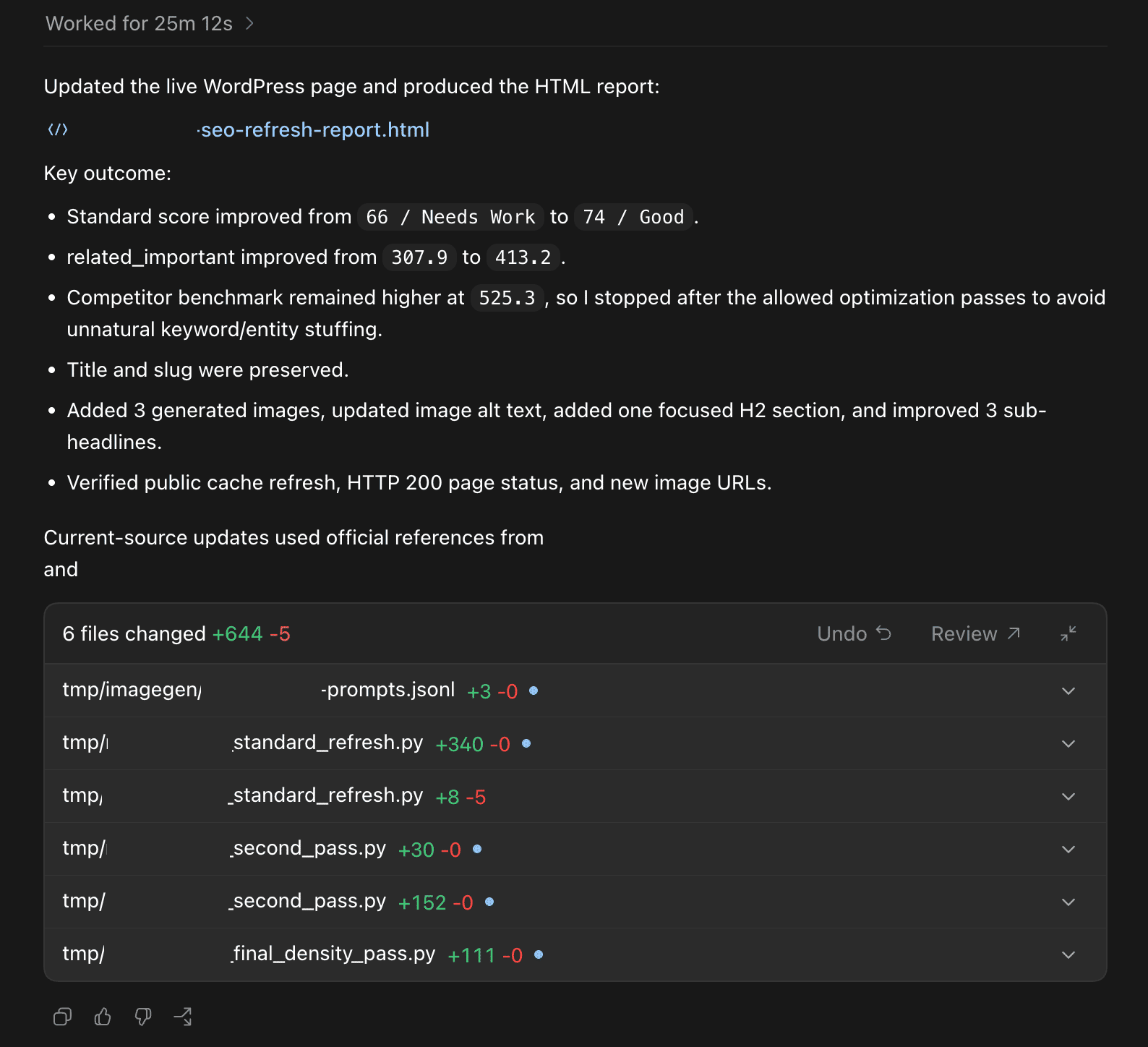
As we can see, it significantly improved the related entity score (without going overboard), updated inaccurate information and checked to make sure everything was ok. If you wanted to take it further, you could easily force it to add the entities instead of letting it decide... however then you sometimes end up with additional text for the sake of having entities (and that's something I wanted to avoid as much as possible).
8. Standard Optimization (Site Wide)
If you wanted to scale the standard optimization process (warning, it will take a few credits per pass), then you can use the following prompt to perform the standard optimization on your site. The prompt is set to perform batches of 10 at a time, starting by the oldest 'last modified' posts and you can continue as much as you wish.
#SELF You are performing SEO work.
You will need to build a detailed task list of the steps in order to complete your SEO optimization work. Continue until the task list is complete.
- You have access to the on-page-seo MCP connector
- You have access to the target site
- You may upload, download, browse, edit the target pages, create reports, write scripts, execute scripts, etc.
#TASK
Perform a standard SEO optimization refresh across the site using the sitemap: "https://www.yoursite.com/yoursitemap.xml". Build the manifest using the sitemap's last modified dates, sorted oldest first, so posts / pages that have not been modified in the longest time are optimized before newer posts / pages.
NOTE: Do not try to process the entire site in one giant run. Instead, first, build a lightweight manifest of all URLs that look like eligible posts & pages based on sitemap URLs, sitemap last modified dates and obvious URL-pattern exclusions. Then process ONLY the selected page range for this initial run. (Do not fetch, read, scan, or extract content from all sitemap URLs while building the manifest. Only fetch/read/scan target pages in the current batch.)
For this initial run, process manifest pages from: [1-10]
(Later, when I eventually say "continue and now do pages x", we'll load the existing manifest and continue from that page range. (Plan for this but don't do it yet). Do not rebuild or re-order the manifest unless I specifically ask you to.)
#PROCESS
1. First, write a "runner" script that pulls the full sitemap, parses all child sitemaps, reads the URL and last modified date from the sitemap, then creates a lightweight manifest of all URLs that look like eligible posts & pages based on sitemap URLs and obvious URL-pattern exclusions. Sort the manifest by last modified date, oldest first.
2. We want the script to create the manifest of the URLs to process. In the manifest, include:
- manifest position / page number
- last modified date from sitemap
- target URL
- scan status
- keyword / topic used for the scan
- biggest issues found
- outdated sections updated or flagged
- keyword stuffing / entity over-usage issues found
- entities added
- Highly Related Words added
- important terms considered but not added
- sub-headlines changed, yes/no
- image added, yes/no
- image alt-text updated, yes/no
- Google category alignment with top 3 competitors
- before and after related_important entity score
- whether related_important is higher than the competition
- re-scans performed
- remaining blockers
- skipped reason
- final verification status
- current run status
- cumulative status across all runs
The manifest fields can remain empty until each page is actually processed. Do not fetch/read/scan all pages just to fill in the manifest.
3. Then save the manifest in this directory so that if the process gets interrupted for any reason, we can continue and resume from where it left off.
Important:
- The manifest order is the source of truth.
- Page range 1-10 means manifest positions 1 through 10.
- Page range 11-20 means manifest positions 11 through 20.
- Do not re-order the manifest between runs.
- Do not fetch/read/scan all pages just to build the manifest.
- Only fetch/read/scan the target pages in the current batch.
- Sort the manifest by the sitemap's last modified date, oldest first.
- If a URL does not have a last modified date in the sitemap, keep it after the dated URLs and preserve sitemap order for those URLs.
4. The script / runner should process the selected page range in batches:
a) Take the next 5 pending target pages from the selected page range
b) Run the on-page Standard scans for those pages
c) Keep a maximum of 3 scans running at once
d) Wait for the on-page scans to complete
e) Go through the Standard scan report sequentially
f) Determine the biggest issues on each page preventing it from ranking to it's full potential
g) Resolve the issue(s) found in the Standard scan report
h) Re-scan with a Standard scan to make sure that the related_important entity score is higher than the competition
i) If needed, perform the tuning loop a maximum of 2 times
j) Save and update progress in the manifest
k) Move to the next batch
5. If for any reason the MCP connector cannot be called directly from the script, then use the script for the sitemap extraction, manifest, batching, tracking and reporting, and use the on-page-seo MCP connector manually inside this agent session for each URL in the batch. Update the manifest after each page. Do not update pages without the guidance of the on-page-seo report.
6. Do not start the next batch until the current batch is scanned, processed, verified, and saved.
#BATCH SETTINGS
Total target pages to process this run: [10]
Page range to process this run: [1-10]
Batch size: [5]
Max scans running at once: [3]
Scan type: [Standard Scan]
Max related_important tuning loops per page: [2]
Max generated images to add per page: [3]
Manifest file: sitename-standard-optimization-manifest.json
Report file: sitename-standard-optimization-report.html
## Exclude obvious non-content pages, we don't want to optimize these:
- category pages
- tag pages
- author pages
- search pages
- archive pages
- cart / checkout pages
- login pages
- paginated pages
- terms of service pages, privacy policy, maps / contact us pages.
#RESUME / CONTINUE PROCESS
The manifest should be built in a way that supports resuming and continuing. If a manifest already exists:
- Load the existing manifest
(Do not rebuild it unless I specifically ask you to and do not re-order it)
- Continue from the requested page range
- Preserve previous scan statuses, entities added, Highly Related Words added, image alt-text updates, generated images, related_important scores, re-scans performed, skipped reasons and verification status
- Skip pages that are already completed unless I specifically ask you to re-process them
- Continue with the next pending page in the requested range
#STANDARD OPTIMIZATION PROCESS
1. For each target page in the current batch, you'll have to determine the best keyword to use for the on-page Standard scan. (You have to infer it from the page title, H1, URL slug, and content.)
2. Then for each target page, run an on-page Standard scan using the on-page-seo tool.
3. When the on-page-seo Standard scan completes, go through the report sequentially and determine the biggest issues on the page preventing it from ranking to it's full potential.
Additionally, check:
- outdated content
- keyword stuffing issues
- excessive entity over-usage when compared to competitors
- proper sub-headline usage (H1, H2, H3) according to the report
- content length / word count compared to the competition
- image alt-text issues if available
- internal link opportunities if available
- Google category alignment compared to the top 3 competitors
- any obvious issue from the report that may be holding the page back
4. If there is outdated content, research the latest information where possible.
If there are outdated sections that conflict with the user intent, you may:
- update stale dates, examples, screenshots, claims, or sections
- However you may only add facts that are verifiable from available sources
- In the event that current research is required and browsing is unavailable, flag the section for human review instead of inventing facts.
5. Resolve the issue(s) found in the Standard scan report.
6. Add an appropriate quantity of entities with importance 7, 8, 9, 10 and 'Highly Related Words' naturally into the text. Light edits, preserve as much human text as possible. (Do not touch title). Preserve paragraphs and line breaks. Prefer sentence level edits over full rewrites.
7. If an important term cannot be added naturally without hurting readability, list it in the final report as “not added” with the reason.
8. Preserve the human writing as much as possible. Preserve the title. Preserve the slug. Preserve the structure unless there is an obvious issue.
9. Verify that the sub-headlines are relevant to the topic / search intent, verify that each sub-headline contains at least 1 entity.
If the sub-headlines are relevant and contain at least 1 entity from the important entity list, do not change them. Leave the sub-headlines as-is unless there are issues.
If there are no useful H2 sub-headlines, refer to the on-page-seo scan report to see if you should add any.
10. Verify that all the images have appropriate alt-text with entities inside them where natural.
11. If an image has missing or weak alt-text, update the alt-text so that it is descriptive and relevant to the page topic. Use entities where natural.
12. Verify that the Google category for our content aligns with the top 3 competitors on Google. If drastically different, there might be an issue.
If the category is drastically different, do not force a rewrite. Note the issue in the final report and make only natural changes that help the page better align with the search intent.
13. If appropriate, use your built-in image generator (Codex has a built in image generator) to add up to 3 new generated images where appropriate within the content if the environment supports it. This helps if the page is low on images and it helps to break up long blocks of text.
The images should:
- fit naturally into the existing page
- support the topic / search intent
- include appropriate alt-text with entities where natural
- improve the page instead of feeling randomly added
- they should be spaced out and not immediately follow another image
14. If the content is thin when compared to the average, add a new paragraph or small section of text where appropriate.
If applicable, the new text should:
- fit naturally into the existing page
- include missing importance 7, 8, 9 / 10 entities or Highly Related Words where natural
- add useful information to the reader
15. In the event that the page is too thin, broken, irrelevant, or cannot be optimized naturally, note it in the manifest and the final report.
#VERIFICATION
16. Once the standard optimization edits have been made, re-scan with a Standard scan to make sure that the related_important entity score from the on-page-seo report is higher than the competition.
17. If the related_important entity score is not higher than the competition, add more of the top entities, importance 7, 8, 9, 10 into the text in a natural fashion. Re-scan after completion.
Continue this process a maximum of 2 times until the related_important entity score is higher than the competition, or until you cannot add more entities naturally without hurting readability. (Do not change title. Preserve as much human text as possible. Do not add an FAQ.). We want to go above and beyond what competitors are doing.
18. Once the standard optimization edits have been made, verify:
- The original title was preserved.
- The original slug was preserved.
- The structure was preserved unless there was an obvious issue.
- Paragraphs and line breaks were preserved.
- The page still reads naturally.
- The human writing was preserved as much as possible.
- Entities with importance 7, 8, 9 / 10 were added naturally where possible.
- Highly Related Words were added naturally where possible.
- The related_important entity score is higher than the competition, or the remaining blocker is explained.
- The sub-headlines are relevant to the topic / search intent.
- The sub-headlines contain important entities where appropriate.
- Image alt-text was checked and updated if necessary.
- Up to 3 generated images were added if appropriate, or the reason they were not added is explained.
- The Google category aligns with the top 3 competitors, or the mismatch is explained.
- Outdated content was updated where possible.
- The page was not broken during editing.
- The manifest was updated after the edit.
19. Verify that the batch was saved before continuing.
20. If any task cannot be completed due to access, environment, permissions, missing tools, unavailable data, failed scan, image generation not being available, not enough credits for re-scan, or the page not being a good fit for standard optimization. Note it in the final report.
21. Produce a full HTML report file of the changes. Provide an audit trail within the report of the changes you made.
#REPORT
The final HTML report should include:
- sitemap used
- page range processed in this run
- total target pages processed
- total Standard scans performed
- total re-scans performed
- total pages optimized
- total pages skipped
- target URL
- manifest position / page number
- last modified date from sitemap
- keyword / topic used for the scan
- Standard scan status
- biggest issues found in the report
- outdated sections updated or flagged
- keyword stuffing / entity over-usage issues found
- entities added
- Highly Related Words added
- important terms considered but not added
- sub-headlines changed, yes/no
- image added, yes/no
- image alt-text updated, yes/no
- Google category alignment with top 3 competitors
- before and after related_important entity score
- whether related_important is higher than the competition
- re-scans performed
- remaining blockers
- skipped pages
- access issues
- completed page range
- next recommended page range to process
- audit trail
#SUCCESS
You will be successful when all the target pages in the selected page range have been processed in controlled batches, the biggest issues from the Standard scan have been identified and resolved where possible, all possible standard optimization improvements have been added naturally, the related_important entity score is higher than the competition or the remaining blocker is explained, all skipped items have been explained, the manifest has been saved, and you have produced a full HTML report outlining the changes, justifications, entities added, Highly Related Words added, image / alt-text updates, before and after related_important score and have provided an audit trail.
And with that, you'll have to first batch done from the site wide optimization. When you need to continue / resume, you can use the prompt below.
8b. Resume / Continue Standard Optimization (Site-Wide)
#CONTINUE / RESUME STANDARD SEO OPTIMIZATION
You are continuing the standard SEO optimization refresh across the site.
Use the existing manifest file: sitename-standard-optimization-manifest.json
Use the existing report file: sitename-standard-optimization-report.html
Do not rebuild the manifest.
Do not re-order the manifest.
Do not start over.
Do not fetch/read/scan all pages in the sitemap.
Only fetch/read/scan the target pages in the requested page range.
For this run, process manifest pages from: [11-20]
Use the same settings as before:
- Batch size: [5]
- Max scans running at once: [3]
- Scan type: [Standard Scan]
- Max related_important tuning loops per page: [2]
- Max generated images to add per page: [3]
Load the existing manifest and continue from the requested page range.
Preserve previous scan statuses, entities added, Highly Related Words added, image alt-text updates, generated images, related_important scores, re-scans performed, skipped reasons and verification status.
Skip pages that are already completed unless I specifically ask you to re-process them.
Continue with the next pending page in the requested range.
#PROCESS
1. Load the existing manifest.
2. Confirm the requested page range: [11-20]
3. Find the next pending target pages in this range.
4. Process the selected page range in batches:
a) Take the next 5 pending target pages from the selected page range
b) Run the on-page Standard scans for those pages
c) Keep a maximum of 3 scans running at once
d) Wait for the on-page scans to complete
e) Go through the Standard scan report sequentially
f) Determine the biggest issues on each page preventing it from ranking to it's full potential
g) Resolve the issue(s) found in the Standard scan report
h) Re-scan with a Standard scan to make sure that the related_important entity score is higher than the competition
i) If needed, perform the tuning loop a maximum of 2 times
j) Save and update progress in the manifest
k) Move to the next batch
5. If for any reason the MCP connector cannot be called directly from the script, then use the script for manifest tracking and reporting, and use the on-page-seo MCP connector manually inside this agent session for each URL in the batch. Update the manifest after each page.
6. Do not start the next batch until the current batch is scanned, processed, verified, and saved.
#STANDARD OPTIMIZATION PROCESS
For each target page in this range:
1. Determine the best keyword to use for the on-page Standard scan. (You have to infer it from the page title, H1, URL slug, and content.)
2. Run an on-page Standard scan using the on-page-seo tool.
3. When the on-page-seo Standard scan completes, go through the report sequentially and determine the biggest issues on the page preventing it from ranking to it's full potential.
Additionally, check:
- outdated content
- keyword stuffing issues
- excessive entity over-usage when compared to competitors
- proper sub-headline usage (H1, H2, H3) according to the report
- content length / word count compared to the competition
- image alt-text issues if available
- internal link opportunities if available
- Google category alignment compared to the top 3 competitors
- any obvious issue from the report that may be holding the page back
4. If there is outdated content, research the latest information where possible.
If there are outdated sections that conflict with the user intent, you may:
- update stale dates, examples, screenshots, claims, or sections
- However you may only add facts that are verifiable from available sources
- In the event that current research is required and browsing is unavailable, flag the section for human review instead of inventing facts.
5. Resolve the issue(s) found in the Standard scan report.
6. Add an appropriate quantity of entities with importance 7, 8, 9, 10 and 'Highly Related Words' naturally into the text. Light edits, preserve as much human text as possible. (Do not touch title). Preserve paragraphs and line breaks. Prefer sentence level edits over full rewrites.
7. If an important term cannot be added naturally without hurting readability, list it in the final report as “not added” with the reason.
8. Preserve the human writing as much as possible. Preserve the title. Preserve the slug. Preserve the structure unless there is an obvious issue.
9. Verify that the sub-headlines are relevant to the topic / search intent, verify that each sub-headline contains at least 1 entity.
If the sub-headlines are relevant and contain at least 1 entity from the important entity list, do not change them. Leave the sub-headlines as-is unless there are issues.
If there are no useful H2 sub-headlines, refer to the on-page-seo scan report to see if you should add any.
10. Verify that all the images have appropriate alt-text with entities inside them where natural.
11. If an image has missing or weak alt-text, update the alt-text so that it is descriptive and relevant to the page topic. Use entities where natural.
12. Verify that the Google category for our content aligns with the top 3 competitors on Google. If drastically different, there might be an issue.
If the category is drastically different, do not force a rewrite. Note the issue in the final report and make only natural changes that help the page better align with the search intent.
13. If appropriate, use your built-in image generator (Codex has a built in image generator) to add up to 3 new generated images where appropriate within the content if the environment supports it. This helps if the page is low on images and it helps to break up long blocks of text.
The images should:
- fit naturally into the existing page
- support the topic / search intent
- include appropriate alt-text with entities where natural
- improve the page instead of feeling randomly added
- they should be spaced out and not immediately follow another image
14. If the content is thin when compared to the average, add a new paragraph or small section of text where appropriate.
If applicable, the new text should:
- fit naturally into the existing page
- include missing importance 7, 8, 9 / 10 entities or Highly Related Words where natural
- add useful information to the reader
15. In the event that the page is too thin, broken, irrelevant, or cannot be optimized naturally, note it in the manifest and the final report.
#VERIFICATION
16. Once the standard optimization edits have been made, re-scan with a Standard scan to make sure that the related_important entity score from the on-page-seo report is higher than the competition.
17. If the related_important entity score is not higher than the competition, add more of the top entities, importance 7, 8, 9, 10 into the text in a natural fashion. Re-scan after completion.
Continue this process a maximum of 2 times until the related_important entity score is higher than the competition, or until you cannot add more entities naturally without hurting readability. (Do not change title. Preserve as much human text as possible. Do not add an FAQ.). We want to go above and beyond what competitors are doing.
18. Once the standard optimization edits have been made, verify:
- The original title was preserved.
- The original slug was preserved.
- The structure was preserved unless there was an obvious issue.
- Paragraphs and line breaks were preserved.
- The page still reads naturally.
- The human writing was preserved as much as possible.
- Entities with importance 7, 8, 9 / 10 were added naturally where possible.
- Highly Related Words were added naturally where possible.
- The related_important entity score is higher than the competition, or the remaining blocker is explained.
- The sub-headlines are relevant to the topic / search intent.
- The sub-headlines contain important entities where appropriate.
- Image alt-text was checked and updated if necessary.
- Up to 3 generated images were added if appropriate, or the reason they were not added is explained.
- The Google category aligns with the top 3 competitors, or the mismatch is explained.
- Outdated content was updated where possible.
- The page was not broken during editing.
- The manifest was updated after the edit.
19. Verify that the batch was saved before continuing.
20. If any task cannot be completed due to access, environment, permissions, missing tools, unavailable data, failed scan, image generation not being available, not enough credits for re-scan, or the page not being a good fit for standard optimization. Note it in the final report.
21. When the requested page range is complete, update the full HTML report file. Provide an audit trail within the report of the changes you made.
#REPORT
Update the final HTML report with:
- sitemap used
- page range processed in this run
- total target pages processed
- total Standard scans performed
- total re-scans performed
- total pages optimized
- total pages skipped
- target URL
- manifest position / page number
- last modified date from sitemap
- keyword / topic used for the scan
- Standard scan status
- biggest issues found in the report
- outdated sections updated or flagged
- keyword stuffing / entity over-usage issues found
- entities added
- Highly Related Words added
- important terms considered but not added
- sub-headlines changed, yes/no
- image added, yes/no
- image alt-text updated, yes/no
- Google category alignment with top 3 competitors
- before and after related_important entity score
- whether related_important is higher than the competition
- re-scans performed
- remaining blockers
- skipped pages
- access issues
- completed page range
- next recommended page range to process
- audit trail
#SUCCESS
You will be successful when all the target pages in the requested page range have been processed in controlled batches, the biggest issues from the Standard scan have been identified and resolved where possible, all possible standard optimization improvements have been added naturally, the related_important entity score is higher than the competition or the remaining blocker is explained, all skipped items have been explained, the manifest has been saved, and the full HTML report has been updated with the changes, justifications, entities added, Highly Related Words added, image / alt-text updates, before and after related_important score and audit trail.
With this, you should be fully equipped to optimize an entire site.
9. Full Client Website Audit (PDF)
If you're providing auditing services for clients, this is pretty much a one-command copy/paste deliverable that goes through the important pages of a website and provides a full audit. I have refined and fined tuned this audit over many weeks to have a version that you should be able to just hand over with minimal modification.
It writes on your behalf and presents things in an easy to understand manner, while assuming that the client has some background knowledge of SEO. (Historically, most of my clients have had some basic understanding of SEO so I don't have to explain to them what a title or H1 tag is.)
#SELF
You represent: Agency / Company Name: "Your Company Name".
You are: "Your Name"
,
You are preparing a document for your client, "Client Name / Business Name"
- You have access to the on-page-seo MCP connector
- You have access to the target site
- You may upload, download, browse, create reports, create PDFs, etc.
#TASK
Create an SEO audit PDF for your client, the owner of website: "https://www.yourclientsite.com"
Do not mention deep scan or any other internal process we used to create the audit. Do not mention that something is client facing. Instead, focus on client friendly language, you are an associate from our SEO agency producing a report for our client.
#PAGES TO AUDIT
For client-side SEO audit PDFs, we usually want to scan the most important representative pages. You'll have to determine the best keyword to use for the on-page deep scan. (You have to infer it from the page title, H1, URL slug, and content.)
Audit these pages:
1. Homepage:
URL: "https://www.gamingpc.ca"
2. Product page, if this is an ecommerce site:
URL: "https://gamingpc.ca/product/destroyer/"
If the product page or article / landing page is not provided, select one important page that is close to the top level of the site and explain why you selected it.
The goal is not to scan random deep pages. We want the homepage and one important representative money page / product page / article page that helps explain the SEO health of the site.
#PROCESS
1. First, verify and read the target website homepage.
2. Determine what type of site this appears to be:
- ecommerce
- lead generation
- affiliate
- information site
- SaaS
- local business
- other
3. Confirm the pages that will be audited:
- homepage
- product page if ecommerce
- article / landing page / informational page if lead generation / affiliate / information / SaaS
- any page you selected manually because it was close to the top level of the site
4. Start by performing an on-page Deep Scan using the on-page-seo tool on the homepage.
5. Then perform an on-page Deep Scan using the on-page-seo tool on the product page / article page / landing page selected for this audit.
6. If both a product page and an article / landing page are relevant, scan both, but keep the audit focused. Usually 2-3 deep scans is enough for a client-ready audit:
- homepage
- one product / money page
- one article / informational / lead generation page
7. When each on-page-seo Deep Scan completes, go through every section of the report sequentially.
Important:
- Do not mention the name "Deep Scan" itself. This is a client-facing report that does not need to know about our tools.
- Do not skip sections because they seem minor.
- Explain and show the data for each section.
- If a section has no major issue, say that clearly.
- If a section has a major issue, explain why it matters and what should be fixed.
#AUDIT PROCESS
For each Deep Scan report, go through each section sequentially and identify the biggest issues preventing the page from ranking to it's full potential.
Additionally, check:
- search intent alignment
- title / H1 alignment with the keyword
- outdated content
- keyword stuffing issues
- excessive entity over-usage when compared to competitors
- missing important entities
- missing Highly Related Words
- proper sub-headline usage (H1, H2, H3) according to the report
- content length / word count compared to the competition
- image alt-text issues if available
- internal link opportunities if available
- whether the page appears to be orphaned or underlinked
- Google category alignment compared to the top 3 competitors
- speed benchmark section of the report
- TTFB issues
- CLS issues
- page experience / speed issues returned by the Deep Scan
- any obvious issue from the report that may be holding the page back
#DEEP SCAN SECTIONS
For each audited page, the PDF should include a clear section for every major part of the Deep Scan report, including:
- page overview
- keyword used for the scan
- competitor comparison
- related_important entity score
- entity coverage
- missing important entities
- Highly Related Words
- over-used entities / possible entity stuffing
- word count / content length versus competitors
- sub-headline / heading structure analysis
- title / H1 / content relevance
- Google category / topical alignment
- internal linking opportunities
- images and alt text
- speed benchmark data
- TTFB
- CLS
- any other speed / benchmark data returned by the report
- any warnings, opportunities, or report sections returned by the on-page-seo Deep Scan
Do not collapse the Deep Scan into only a summary. This is a client audit, so every section should be represented.
#CLIENT READY EXPLANATION
When writing the PDF, explain things in client-friendly language.
For every issue, include:
- what the issue is
- what the scan data shows
- why it matters
- how serious it is
- what should be done next
Use priority levels:
- Critical
- High
- Medium
- Low
- No issue found
For recommendations, be specific. Do not say "improve content" without explaining what should be improved.
- Do not mention our agency tools such as On-page-seo, nor Deep Scan.
#PAGE AUDIT FORMAT
For each page audited, include:
## Page Audited
- URL
- keyword used
- page type
## Executive Summary For This Page
- biggest issues found
- strongest opportunities
- quick wins
- likely reason the page is underperforming, if applicable
## Full Audit Walkthrough
General guidelines:
- show the data
- explain what it means
- explain whether there is an issue
- explain the recommended next action
## Competitor Gap Summary (If applicable)
Include:
- what competitors are doing better
- where our page is weaker
- where our page is stronger
- missing topics / entities / sections
- word count or content-depth gaps
- speed benchmark differences if available
## Entity / Content Gap Summary (If applicable)
Include:
- important entities missing
- Highly Related Words missing
- possible over-used entities
- related_important score
- whether related_important is below, near, or above competition
- what should be added naturally
## Technical / Speed Summary (If applicable)
Include:
- TTFB findings
- CLS findings
- speed benchmark comparison
- whether speed appears to be a possible ranking issue
- what the client should do next
## Internal Link (If applicable)
- internal link opportunities returned by the report
- whether the page may be underlinked or orphaned
- recommended source pages if available
## Image / Alt Text Summary (If applicable)
Include:
- whether images have proper alt text
- whether images are relevant
- whether the page is low on useful visual content
- recommendations for new or improved images if appropriate
## Topical / Category Alignment (If applicable)
Include:
- Google category / topical classification for the page
- top 3 competitor category alignment
- whether our page is aligned or drastically different
- why this may matter
## Recommended Fixes (If applicable)
Include:
- Critical fixes
- High priority fixes
- Medium priority fixes
- Low priority fixes
- quick wins
- what to do first
Do not force any section if there is nothing wrong or there are no optimization opportunities.
#OVERALL WEBSITE AUDIT SUMMARY
After auditing all selected pages, create an overall client-facing summary.
Include:
- overall SEO health
- biggest site-wide issues
- strongest SEO opportunities
- top 5 recommended fixes
- 30-day action plan
- 60-day action plan
- 90-day action plan
#PDF STRUCTURE
**Use page breaks extensively to avoid having a section cut-off immediately after the headline.**
Create a comprehensive client-ready PDF report with this structure:
1. Cover Page
- Our Agency / Company Name
- Prepared By
- Client Name
- Client Website
- Report Date
- Report Title: SEO Audit Report
3. Executive Summary
- simple client-facing explanation
- biggest findings
- biggest opportunities
- top recommended actions
5. Homepage Audit
- include an analysis in the report
- explain and show the data for each section
6. Product Page / Money Page Audit, if applicable
- include an analysis in the report
- explain and show the data for each section
7. Article / Landing Page / Informational Audit, if applicable
- include an analysis in the report
- explain and show the data for each section
8. Cross-Page Findings
- issues that appeared across multiple audited pages
- recurring entity gaps
- recurring heading issues
- recurring internal link issues
- recurring image / alt text issues
- recurring speed issues
- recurring category alignment issues
9. Priority Recommendations
- Critical
- High
- Medium
- Low
10. 30 / 60 / 90 Day Action Plan
#REPORT STYLE
The report should be polished and client-ready. It should not share confidential methodology used to create the audit however it should share all the useful data we uncovered. Our client is sophisticated and has some background knowledge of SEO.
Use:
- clear headings
- tables where useful
- charts or visual summaries where useful
- plain English explanations
- short paragraphs
- prioritized action items
- screenshots or report data when useful
- Our agency branding / company name throughout the report
#PDF CREATION
Create:
- a full client-ready PDF report
- a full HTML version of the report
If direct PDF creation is not available in the environment, create a print-ready HTML report that can be exported to PDF and note this clearly.
#SUCCESS
You will be successful when the homepage and the most important representative product / article / landing page have been audited with on-page-seo Deep Scans, every section has been explained and shown in the report, speed benchmarks have been included, the client-ready PDF has been created with our agency branding, the full report download / HTML version is included, and the final audit explains the biggest issues, opportunities, prioritized fixes and 30 / 60 / 90 day action plan to our client.
This audit covers the most important pages of a site and aims to uncover issues that would be replicated throughout the website. For example, if you uncover an issue on ONE product page... it is very likely that all product pages have the same issue.
Your clients will appreciate the completeness and attention to detail of this audit.
10. Single Page Audit (PDF)
Alternatively, if you only want to audit a single page of a client's website (and you want a PDF report for that page), then this is the recipe for you. It takes all the detective work that we apply to the full site except it applies it to a single, targeted page.
If you're just looking for a quick diagnostic, then I suggest using another prompt that will uncover page issues... however if you want a complete audit with a PDF for a client, then this is it! (And there is nothing stopping you from using this prompt over and over again for multiple pages)
#SELF
You represent: Agency / Company Name: "Your Company Name".
You are: "Your Name"
You are preparing a document for your client, "Client Name / Business Name"
- You have access to the on-page-seo MCP connector
- You have access to the target page
- You may upload, download, browse, create reports, create PDFs, etc.
#TASK
Create an SEO audit PDF for your client.
Target Page URL: "https://www.yourclientsite.com/target-page/"
Target Keyword: "Target Keyword"
Do not mention deep scan or any other internal process we used to create the audit. Do not mention that something is client facing. Instead, focus on client friendly language, you are an associate from our SEO agency explaining to the client.
#PAGE TO AUDIT
For client-side SEO audit PDFs, we want to scan the target page and explain what is helping or hurting its ability to rank.
#PROCESS
1. First, verify and read the target page.
2. Start by performing an on-page Deep Scan using the on-page-seo tool on the target page.
3. When the on-page-seo Deep Scan completes, go through every section of the report sequentially.
Important:
- Do not mention the name "Deep Scan" itself. This is a client-facing report that does not need to know about our tools.
- Do not skip sections because they seem minor.
- Explain and show the data for each section.
- If a section has no major issue, say that clearly.
- If a section has a major issue, explain why it matters and what should be fixed.
#AUDIT PROCESS
For the Deep Scan report, go through each section sequentially and identify the biggest issues preventing the page from ranking to it's full potential.
Additionally, check:
- search intent alignment
- title / H1 alignment with the keyword
- outdated content
- keyword stuffing issues
- excessive entity over-usage when compared to competitors
- missing important entities
- missing Highly Related Words
- proper sub-headline usage (H1, H2, H3) according to the report
- content length / word count compared to the competition
- image alt-text issues if available
- internal link opportunities if available
- whether the page appears to be orphaned or underlinked
- Google category alignment compared to the top 3 competitors
- speed benchmark section of the report
- TTFB issues
- CLS issues
- page experience / speed issues returned by the Deep Scan
- any obvious issue from the report that may be holding the page back
#DEEP SCAN SECTIONS
For the audited page, the PDF should include a clear section for every major part of the Deep Scan report, including:
- page overview
- keyword used for the scan
- competitor comparison
- related_important entity score
- entity coverage
- missing important entities
- Highly Related Words
- over-used entities / possible entity stuffing
- word count / content length versus competitors
- sub-headline / heading structure analysis
- title / H1 / content relevance
- Google category / topical alignment
- internal linking opportunities
- images and alt text
- speed benchmark data
- TTFB
- CLS
- any other speed / benchmark data returned by the report
- any warnings, opportunities, or report sections returned by the on-page-seo Deep Scan
Do not collapse the Deep Scan into only a summary. This is a client audit, so every section should be represented.
#CLIENT READY EXPLANATION
When writing the PDF, explain things in client-friendly language. (Do not tell them you're explaining in client-friendly language, just do it).
For every issue, include:
- what the issue is
- what the scan data shows
- why it matters
- how serious it is
- what should be done next
Use priority levels:
- Critical
- High
- Medium
- Low
- No issue found
For recommendations, be specific. Do not say "improve content" without explaining what should be improved.
- Do not mention our agency tools such as On-page-seo, nor Deep Scan.
#PAGE AUDIT FORMAT
For the page audited, include:
## Executive Summary For This Page
- URL
- keyword used
- biggest issues found
- strongest opportunities
- quick wins
- likely reason the page is underperforming, if applicable
## Full Audit Walkthrough
General guidelines:
- show the data
- explain what it means
- explain whether there is an issue
- explain the recommended next action
## Competitor Gap Summary (If applicable)
Include:
- what competitors are doing better
- where our page is weaker
- where our page is stronger
- missing topics / entities / sections
- word count or content-depth gaps
- speed benchmark differences if available
## Entity / Content Gap Summary (If applicable)
Include:
- important entities missing
- Highly Related Words missing
- possible over-used entities
- related_important score
- whether related_important is below, near, or above competition
- what should be added naturally
## Technical / Speed Summary (If applicable)
Include:
- TTFB findings
- CLS findings
- speed benchmark comparison
- whether speed appears to be a possible ranking issue
- what the client should do next
## Internal Link (If applicable)
- internal link opportunities returned by the report
- whether the page may be underlinked or orphaned
- recommended source pages if available
## Image / Alt Text Summary (If applicable)
Include:
- whether images have proper alt text
- whether images are relevant
- whether the page is low on useful visual content
- recommendations for new or improved images if appropriate
## Topical / Category Alignment (If applicable)
Include:
- Google category / topical classification for the page
- top 3 competitor category alignment
- whether our page is aligned or drastically different
- why this may matter
## Recommended Fixes (If applicable)
Include:
- Critical fixes
- High priority fixes
- Medium priority fixes
- Low priority fixes
- quick wins
- what to do first
Do not force any section if there is nothing wrong or there are no optimization opportunities.
#OVERALL PAGE AUDIT SUMMARY
After auditing the target page, create an overall client-facing summary.
Include:
- overall SEO health of the page
- biggest page-level issues
- strongest SEO opportunities
- top 5 recommended fixes
- 30-day action plan
- 60-day action plan
- 90-day action plan
#PDF STRUCTURE (COMPACT)
**Use page breaks extensively to avoid having a section cut-off immediately after the headline.**
Create a comprehensive client-ready PDF report with this structure:
1. Cover Page
- Our Agency / Company Name
- Prepared By
- Client Name
- Client Website
- Report Date
- Report Title: SEO Audit Report
2. Executive Summary
- simple client-facing explanation
- biggest findings
- biggest opportunities
- top recommended actions
- URL
- keyword used
3. Target Page Audit
- include an analysis in the report
- explain and show the data for each section
4. Competitor Gap Summary (if applicable)
- what competitors are doing better
- where our page is weaker
- where our page is stronger
- missing topics / entities / sections
- word count or content-depth gaps
- speed benchmark differences if available
5. Entity / Content Gap Summary (if applicable)
- important entities missing
- Highly Related Words missing
- possible over-used entities
- related_important score
- whether related_important is below, near, or above competition
- what should be added naturally
6. Technical / Speed Summary (if applicable)
- TTFB findings
- CLS findings
- speed benchmark comparison
- whether speed appears to be a possible ranking issue
- what the client should do next
7. Internal Link Summary (if applicable)
- internal link opportunities returned by the report
- whether the page may be underlinked or orphaned
- recommended source pages if available
8. Image / Alt Text Summary (if applicable)
- whether images have proper alt text
- whether images are relevant
- whether the page is low on useful visual content
- recommendations for new or improved images if appropriate
9. Topical / Category Alignment (if applicable)
- Google category / topical classification for the page
- top 3 competitor category alignment
- whether our page is aligned or drastically different
- why this may matter
10. Priority Recommendations
- Critical
- High
- Medium
- Low
12. 30 / 60 / 90 Day Action Plan
#REPORT STYLE
The report should be polished and client-ready. It should not share confidential methodology used to create the audit however it should share all the useful data we uncovered. Our client is sophisticated and has some background knowledge of SEO.
Use:
- clear headings
- tables where useful
- charts or visual summaries where useful
- plain English explanations
- short paragraphs
- prioritized action items
- screenshots or report data when useful
- Our agency branding / company name throughout the report
#PDF CREATION
Create:
- a full client-ready PDF report
- a full HTML version of the report
If direct PDF creation is not available in the environment, create a print-ready HTML report that can be exported to PDF and note this clearly.
#SUCCESS
You will be successful when the target page has been audited with an on-page-seo Deep Scan, every section has been explained and shown in the report, speed benchmarks have been included, the client-ready PDF has been created with our agency branding, the full report download / HTML version is included, and the final audit explains the biggest issues, opportunities, prioritized fixes and 30 / 60 / 90 day action plan to our client.
With this, you'll have a full PDF audit for a single page. Ideal when working on specific high value pages for your customer.
11. Advanced Page Diagnostic: "Why Isn't This Page Ranking?"
If you have a page that refuses to rank, then this is the prompt for you. It will check nearly common every on-page reason why a page would refuse to rank. (If this doesn't find it, it's likely link or domain related)
#SELF
You are performing SEO diagnostic work. You will need to build a detailed task list of the steps in order to complete your SEO diagnostic work. Continue until the task list is complete.
- You have access to the on-page-seo MCP connector
- You have access to the target site
- You may upload, download, browse, read the target page, create reports, etc.
#TASK
Perform a deep SEO diagnostic on the URL: "https://www.yoursite.com/url/" for the keyword: "keyword"
The goal is to determine why this page isn't ranking to it's full potential.
#DIAGNOSTIC PROCESS
1. Start by performing a deep SEO scan using the on-page-seo tool on the target URL.
2. Then read the MCP resources from the on-page-seo tool.
3. While the scan is running, verify and read the target URL page.
4. Before diagnosing content issues, check for technical / indexability issues that could prevent the page from ranking.
Additionally, check:
- Check the HTTP status code of the target URL. Confirm whether it returns 200, redirects, 404, 5xx, or anything unusual.
- Check if there is a redirect chain.
- Check if the page canonical points to itself or to another URL.
- Check if the page has a meta robots tag with noindex, nofollow, none, nosnippet, or any other directive that may affect indexing / ranking.
- Check if the HTTP headers contain an X-Robots-Tag with noindex, nofollow, none, nosnippet, or any other directive that may affect indexing / ranking.
- Check the robots.txt file to see if the target URL is blocked.
- Check the robots.txt file to see if important resources needed to render the page are blocked.
- Check whether the target URL appears in the sitemap, if a sitemap is available.
- Check if the main content is visible when reading / rendering the page.
- Check if the page requires login, geo access, cookies, or has a popup / overlay that blocks the main content.
- Check if the page has duplicate / near-duplicate pages on the same site targeting the same keyword or same search intent.
- Check if there are obvious canonicalization, duplicate content, or cannibalization issues.
- Check if structured data / schema is present if it would be expected for this page type.
5. When the on-page-seo scan completes, go through each section sequentially, identifying the biggest issues preventing the page from ranking to its full potential.
Additionally,
- Check to see if partial keyword is mentioned in the title / content. How does the title/H1 line up with the keyword? It shouldn't be the exact keyword but it should be related.
- Check for search intent alignment. What type of page is Google rewarding for this keyword? Article, product page, category page, homepage, local page, tool, comparison page, etc.
- Check for keyword stuffing issues.
- Check for excessive entity over-usage when compared to competitors.
- Check whether the page is missing important entities with importance 9, 10, and Highly Related Words.
- Check whether the related_important entity score is lower than the competition.
- Check for proper sub-headline usage (H1, H2, H3) according to the report. Not too many H1s, at least one useful H2.
- Check for excessively thin content (sub-450 words)
- Check word count versus competition.
- Check for outdated sections.
- Check the speed benchmark section of the report for TTFB and CLS issues. If the TTFB is too high, the page might struggle to rank. If CLS is materially above 0 or worse than competitors, this might also be associated with ranking issues.
- Check to see if the page has internal links pointing back to it and it's not an orphan page.
- Check internal link opportunities if available.
- Verify that the Google category for our content aligns with the top 3 competitors on Google. If drastically different, there might be an issue.
- Check any obvious issue from the report that may be holding the page back.
6. Identify the top 1, 2 or 3 biggest issues preventing the page from ranking to it's full potential. Not specified how many issues because it will vary.
7. Do not edit the page. Do not fix the page. Do not add entities. Do not add internal links. Do not change the title. This is diagnostic only.
#DIAGNOSTIC OUTPUT
8. For each major issue found, explain:
- what the issue is
- what the on-page-seo scan shows
- what you verified on the target page
- why this issue might be preventing the page from ranking
- how serious the issue is
- what should be done to fix it
Use priority levels:
- Critical
- High
- Medium
- Low
9. If the page has many small issues, group them together instead of listing every tiny issue. Focus on the top 1-3 issues that are most likely holding the page back.
10. If everything checks out on the page, say that clearly. If indexability, on-page, content, entity, speed, headings, internal links and category alignment all look fine, then explain that it's likely domain / link issues or outside-page factors.
#REPORT
Produce a simple diagnostic report.
The report should include:
- target URL
- keyword / topic used for the scan
- deep scan status
- top 1-3 issues found
- HTTP status code
- redirect chain issues, yes/no
- robots.txt blocking issues, yes/no
- meta robots noindex / nofollow issues, yes/no
- X-Robots-Tag issues, yes/no
- canonical tag issue, yes/no
- sitemap inclusion, yes/no / unknown
- rendered main content visible, yes/no
- structured data / schema issues, if applicable
- duplicate / cannibalization issue, yes/no
- search intent alignment
- title / H1 alignment
- keyword stuffing issues, yes/no
- entity over-usage issues, yes/no
- missing importance 9 / 10 entities
- missing Highly Related Words
- related_important entity score compared to competition
- word count / content length compared to competition
- sub-headline / heading issues
- outdated sections
- speed benchmark issues
- TTFB issues
- CLS issues
- internal link / orphan page issues
- Google category alignment with top 3 competitors
- likely reason the page is not ranking to it's full potential
- recommended fixes
- whether the issue appears to be indexability, technical, on-page, internal linking, content, entity-related, category-related, cannibalization-related, speed-related, or likely domain / link related
#SUCCESS
You will be successful when you have performed a deep SEO diagnostic, checked technical / indexability issues, gone through the on-page-seo report sequentially, identified the top 1-3 biggest issues preventing the page from ranking to it's full potential, explained the likely fixes, and clearly stated whether the issue appears to be indexability, technical, on-page, internal linking, content, entity-related, category-related, cannibalization-related, speed-related, or likely domain / link related.
With this, you'll receive a response that identifies the main issue(s) with the page that might prevent it from ranking. This is very useful diagnostic tool to have handy, even if you're a seasoned SEO veteran.
Targeted Modifications
12. Sub-Headline Optimization (Single Page)
With this, you'll receive a response that identifies the main issue(s) with the page that might prevent it from ranking. This is very useful diagnostic tool to have handy, even if you're a seasoned SEO veteran.
#SELF
You are performing SEO work.
- You have access to the on-page-seo MCP connector
- You have access to the target site
- You may upload, download, browse, edit the target page, create reports, etc.
#TASK
Perform sub-headline relevance tuning on the URL: "https://www.yoursite.com/url/" for the keyword: "keyword"
#PROCESS
1. First, verify and read the target URL page.
2. Start by performing an on-page Standard scan using the on-page-seo tool on the target URL.
3. When the on-page-seo Standard scan completes, review the sub-headline / heading structure section of the report.
Additionally, check:
- proper sub-headline usage (H1, H2, H3) according to the report
- whether the sub-headlines are relevant to the topic / search intent
- whether important sub-headlines naturally contain at least 1 entity
- whether any H2 / H3 is vague, generic, or not helping the page
- whether there are no useful H2 sub-headlines
- whether the sub-headlines are over-optimized or too exact-match
4. Verify that the sub-headlines are relevant to the topic / search intent, verify that each important sub-headline contains at least 1 entity.
5. If the sub-headlines are relevant and contain at least 1 entity from the important entity list, do not change them. Leave the sub-headlines as-is unless there are issues.
6. If there are vague or weak sub-headlines, improve them using entities from the on-page-seo scan report where natural.
7. If there are no useful H2 sub-headlines, refer to the on-page-seo scan report to see if you should add any.
8. Preserve the human writing as much as possible. Preserve the title. Preserve the slug. Preserve the structure unless there is an obvious issue.
9. Do not make every heading exact-match. The sub-headlines should be relevant and natural, not robotic.
#VERIFICATION
10. Once the sub-headline edits have been made, verify:
- The original title was preserved.
- The original slug was preserved.
- The page still reads naturally.
- The human writing was preserved as much as possible.
- The sub-headlines are relevant to the topic / search intent.
- The sub-headlines contain important entities where appropriate.
- The sub-headlines are not overly exact-match.
- The page was not broken during editing.
11. If any task cannot be completed due to access, environment, permissions, missing tools, unavailable data, failed scan, or the page not being a good fit for sub-headline tuning. Note it in the final report.
12. Produce a simple HTML report file of the changes. Provide an audit trail within the report of the changes you made.
#REPORT
The final HTML report should include:
- target URL
- keyword / topic used for the scan
- Standard scan status
- original sub-headlines
- updated sub-headlines
- sub-headlines left unchanged and why
- entities used in sub-headlines
- issues found
- access issues
- audit trail
#SUCCESS
You will be successful when the target page has been processed, weak or vague sub-headlines have been improved where appropriate, relevant sub-headlines have been preserved, the title and human writing have been preserved, and you have produced a simple HTML report outlining the changes, justifications, sub-headlines updated and have provided an audit trail.
Sub-headlines are one of the most important parts of a page and are often neglected by webmasters. This will optimize all the sub-headlines that can reasonably be optimized (while still preserving as much as possible of the original ones).
Targeted Modifications
13. Image and Alt-Text Optimization (Single Page)
The next 'most neglected' part of SEO is the image alt-text. Even experienced SEOs (I am guilty of this) will often forget to add alt-text or will just have generic text that might hurt relevance. This is the quick way to fix that.
#SELF
You are performing SEO work.
- You have access to the on-page-seo MCP connector
- You have access to the target site
- You may upload, download, browse, edit the target page, create reports, etc.
#TASK
Perform image + alt-text optimization on the URL: "https://www.yoursite.com/url/" for the keyword: "keyword"
#PROCESS
1. First, verify and read the target URL page.
2. Start by performing an on-page Standard scan using the on-page-seo tool on the target URL.
3. When the on-page-seo Standard scan completes, review the image / alt-text sections of the report.
Additionally, check:
- image alt-text issues if available
- whether all images have appropriate alt-text with entities inside them where natural
- whether images are relevant to the topic / search intent
- whether the page is low on images compared to the competition
- whether competitors are using more useful visual content
- whether any image is missing alt-text
- whether any image has weak, generic, duplicated, or irrelevant alt-text
- whether adding a generated image would improve the page
4. Verify that all the images have appropriate alt-text with entities inside them where natural.
5. If an image has missing or weak alt-text, update the alt-text so that it is descriptive and relevant to the page topic. Use entities where natural.
6. Preserve the human writing as much as possible. Preserve the title. Preserve the slug. Preserve the structure unless there is an obvious issue.
7. If appropriate, use your built-in image generator (Codex has a built in image generator) to add one or more new generated images where appropriate within the content if the environment supports it. This helps if the page is low on images compared to the competition and it helps to break up long blocks of text.
The images should:
- fit naturally into the existing page
- support the topic / search intent
- include appropriate alt-text with entities where natural
- improve the page instead of feeling randomly added
- they should be spaced out and not immediately follow another image
8. Do not add images just to add images. Only add generated images if the page is very low in images compared to the competitors, or if the page has long blocks of text that would clearly benefit from a useful visual.
9. If image generation is not available, create the exact image prompts, recommended placement, filename and alt-text, and list it in the final report.
10. In the event that the page has no images, determine whether adding one or more images would improve the page. If yes, add generated images where appropriate if the environment supports it. If no, explain why in the final report.
#VERIFICATION
11. Once the image / alt-text edits have been made, verify:
- The original title was preserved.
- The original slug was preserved.
- The structure was preserved unless there was an obvious issue.
- The page still reads naturally.
- The human writing was preserved as much as possible.
- Image alt-text was checked and updated if necessary.
- Alt-text uses relevant entities where natural.
- Images are relevant to the topic / search intent.
- Generated images were added if appropriate, or the reason they were not added is explained.
- The page was not broken during editing.
12. If any task cannot be completed due to access, environment, permissions, missing tools, unavailable data, image generation not being available, or the page not being a good fit for image / alt-text optimization. Note it in the final report.
13. Produce a simple HTML report file of the changes. Provide an audit trail within the report of the changes you made.
#REPORT
The final HTML report should include:
- target URL
- keyword / topic used for the scan
- Standard scan status
- image / alt-text issues found
- original image alt-text
- updated image alt-text
- entities used in alt-text
- images added, yes/no
- generated image prompts, if image generation was not available
- image placement
- filenames
- whether the page was low on images compared to competitors
- images left unchanged and why
- access issues
- audit trail
#SUCCESS
You will be successful when the target page has been processed, all image / alt-text issues have been reviewed, missing or weak alt-text has been improved where appropriate, generated images have been added if the page is low on images compared to competitors and the environment supports it, the title and human writing have been preserved, and you have produced a simple HTML report outlining the changes, justifications, images added, alt-text updated and have provided an audit trail.
14. Local Page Diagnostic: “Why Isn’t This Local Page Ranking?”
This is similar to the original "Why isn't this page ranking" workflow however it is targeted specifically for local sites and will perform MANY additional local-specific checks to make sure everything is perfect.
#SELF You are performing local SEO diagnostic work. You will need to build a detailed task list of the steps in order to complete your local SEO diagnostic work. Continue until the task list is complete.
- You have access to the on-page-seo MCP connector
- You have access to the target site
- You may upload, download, browse, read the target page, create reports, etc.
#TASK
Perform a deep local SEO diagnostic on the URL: "https://www.yoursite.com/url/" for the keyword: "keyword"
Target city / area: "city / area"
Business name: "business name"
Business type / service: "business type / service"
The goal is to determine why this local page isn't ranking to it's full potential.
#DIAGNOSTIC PROCESS
1. Start by performing a deep SEO scan using the on-page-seo tool on the target URL.
2. Then read the MCP resources from the on-page-seo tool.
3. While the scan is running, verify and read the target URL page.
4. Before diagnosing content issues, check for technical / indexability issues that could prevent the page from ranking.
Additionally, check:
- Check the HTTP status code of the target URL. Confirm whether it returns 200, redirects, 404, 5xx, or anything unusual.
- Check if there is a redirect chain.
- Check if the page canonical points to itself or to another URL.
- Check if the page has a meta robots tag with noindex, nofollow, none, nosnippet, or any other directive that may affect indexing / ranking.
- Check if the HTTP headers contain an X-Robots-Tag with noindex, nofollow, none, nosnippet, or any other directive that may affect indexing / ranking.
- Check the robots.txt file to see if the target URL is blocked.
- Check the robots.txt file to see if important resources needed to render the page are blocked.
- Check whether the target URL appears in the sitemap, if a sitemap is available.
- Check if the main content is visible when reading / rendering the page.
- Check if the page requires login, geo access, cookies, or has a popup / overlay that blocks the main content.
- Check if the page has duplicate / near-duplicate pages on the same site targeting the same keyword, same city, same service, or same search intent.
- Check if there are obvious canonicalization, duplicate content, or cannibalization issues.
- Check if structured data / schema is present if it would be expected for this page type.
5. When the on-page-seo scan completes, go through each section sequentially, identifying the biggest issues preventing the page from ranking to its full potential.
Additionally,
- Check to see if partial keyword is mentioned in the title / content. How does the title/H1 line up with the keyword? It shouldn't be the exact keyword but it should be related.
- Check for local search intent alignment. What type of page is Google rewarding for this keyword? Local service page, homepage, location page, city page, product page, category page, article, directory, map pack / GBP result, etc.
- Check whether the page clearly targets the service + city / area.
- Check whether the city / area is naturally mentioned in the title, H1, intro, headings, body content, image alt-text, and internal anchors where appropriate.
- Check whether the service entity is clear.
- Check whether the page has local proof. Examples: local project examples, service area details, nearby areas served, local reviews / testimonials, local photos, business address, phone number, hours, license / certification, local case study, map, directions, or service process.
- Check whether NAP information is visible if this is a local business page. Name, address, phone.
- Check whether the phone number is visible and clickable if this is a local lead generation / service page.
- Check whether business hours are visible if relevant.
- Check whether the page clearly explains the service area if this is a service-area business.
- Check whether LocalBusiness schema or relevant local schema is present if appropriate.
- Check whether schema data matches the visible page content.
- Check whether the page supports the business category / service category.
- Check for keyword stuffing issues.
- Check for excessive entity over-usage when compared to competitors.
- Check whether the page is missing important entities with importance 9, 10, and Highly Related Words.
- Check whether the related_important entity score is lower than the competition.
- Check for proper sub-headline usage (H1, H2, H3) according to the report. Not too many H1s, at least one useful H2.
- Check whether sub-headlines support the local search intent.
- Check for excessively thin content (sub-450 words)
- Check word count versus competition.
- Check for outdated sections.
- Check the speed benchmark section of the report for TTFB and CLS issues. If the TTFB is too high, the page might struggle to rank. If CLS is materially above 0 or worse than competitors, this might also be associated with ranking issues.
- Check to see if the page has internal links pointing back to it and it's not an orphan page.
- Check internal link opportunities if available.
- Check whether important service pages, city pages, location pages, blog posts, or hub pages internally link to this local page.
- Verify that the Google category for our content aligns with the top 3 competitors on Google. If drastically different, there might be an issue.
- Check whether the top competitors are local business pages, directory pages, city/service pages, homepages, or informational pages.
- Check whether this looks like a website organic ranking issue, a GBP / map pack issue, a local prominence issue, or both.
- Check any obvious issue from the report that may be holding the page back.
6. If Google Business Profile information is available, check GBP / website alignment.
Additionally, check:
- Does the business name match the website?
- Does the phone number match the website?
- Does the address / service area match the website?
- Does the GBP primary category match the page topic?
- Do the GBP services match the services discussed on the page?
- Are important services in GBP missing from the page?
- Is the target page supporting the same service / category that GBP is targeting?
If GBP information is not available, note this as unknown. Do not invent GBP data.
7. Identify the top 1, 2 or 3 biggest issues preventing the local page from ranking to it's full potential. Not specified how many issues because it will vary.
8. Do not edit the page. Do not fix the page. Do not add entities. Do not add internal links. Do not change the title. This is diagnostic only.
#DIAGNOSTIC OUTPUT
9. For each major issue found, explain:
- what the issue is
- what the on-page-seo scan shows
- what you verified on the target page
- why this issue might be preventing the page from ranking
- how serious the issue is
- what should be done to fix it
Use priority levels:
- Critical
- High
- Medium
- Low
10. If the page has many small issues, group them together instead of listing every tiny issue. Focus on the top 1-3 issues that are most likely holding the page back.
11. If everything checks out on the page, say that clearly. If indexability, on-page, content, entity, speed, headings, internal links, local relevance, local proof, and category alignment all look fine, then explain that it's likely domain / link issues, GBP / map pack issues, local prominence issues, review / citation issues, distance / proximity issues, or outside-page factors.
#REPORT
Produce a simple local SEO diagnostic report.
The report should include:
- target URL
- keyword / topic used for the scan
- target city / area
- business name
- business type / service
- deep scan status
- top 1-3 issues found
- HTTP status code
- redirect chain issues, yes/no
- robots.txt blocking issues, yes/no
- meta robots noindex / nofollow issues, yes/no
- X-Robots-Tag issues, yes/no
- canonical tag issue, yes/no
- sitemap inclusion, yes/no / unknown
- rendered main content visible, yes/no
- structured data / schema issues, if applicable
- LocalBusiness schema issue, yes/no / not applicable
- NAP visibility issue, yes/no / not applicable
- GBP / website alignment issue, yes/no / unknown
- service area clarity issue, yes/no
- city / location relevance issue, yes/no
- local proof issue, yes/no
- duplicate / cannibalization issue, yes/no
- search intent alignment
- local intent alignment
- map pack vs organic split
- title / H1 alignment
- keyword stuffing issues, yes/no
- entity over-usage issues, yes/no
- missing importance 9 / 10 entities
- missing Highly Related Words
- related_important entity score compared to competition
- word count / content length compared to competition
- sub-headline / heading issues
- outdated sections
- speed benchmark issues
- TTFB issues
- CLS issues
- internal link / orphan page issues
- local internal link opportunities
- Google category alignment with top 3 competitors
- likely reason the page is not ranking to it's full potential
- recommended fixes
- whether the issue appears to be indexability, technical, local relevance, GBP-related, NAP-related, schema-related, on-page, internal linking, content, entity-related, category-related, cannibalization-related, speed-related, local prominence-related, or likely domain / link related
#SUCCESS
You will be successful when you have performed a deep local SEO diagnostic, checked technical / indexability issues, gone through the on-page-seo report sequentially, checked local relevance, service / city alignment, NAP, schema, local proof, GBP alignment if available, internal links and speed benchmarks, identified the top 1-3 biggest issues preventing the page from ranking to it's full potential, explained the likely fixes, and clearly stated whether the issue appears to be indexability, technical, local relevance, GBP-related, NAP-related, schema-related, on-page, internal linking, content, entity-related, category-related, cannibalization-related, speed-related, local prominence-related, or likely domain / link related.
This is a deep dive into a local website and should help you uncover issues that might be hindering your local client's rankings.
BONUS: I strongly recommend asking the AI to create a PDF report after it completes. You'll have something really nice to show your local client. (They'll assume you must have worked for hours to produce it!)
15. Local Page Tuning (Standard Optimization)
If the site is already ranking and you are just performing optimization work, then the next local page tuning recipe is for you. It's simple, straightforward and hits all the right local tweaks.
#SELF
You are performing local SEO work.
- You have access to the on-page-seo MCP connector
- You have access to the target site
- You may upload, download, browse, edit the target page, create reports, etc.
#TASK
Perform local relevance tuning on the URL "https://www.yoursite.com/url/" for the keyword: "keyword"
Target city / area: "city / area"
Business name: "business name"
Business type / service: "business type / service"
#PROCESS
1. First, verify and read the target URL page.
2. Start by performing an on-page Standard scan using the on-page-seo tool on the target URL.
3. When the on-page-seo Standard scan completes, go through the report sequentially and determine the biggest local relevance issues on the page preventing it from ranking to it's full potential.
Additionally, check:
- local search intent alignment
- whether the page clearly targets the service + city / area
- whether the service entity is clear
- whether the city / area is naturally mentioned where appropriate
- whether the page has local proof
- whether the page has service area details
- whether the page has nearby areas served if appropriate
- whether NAP information is visible if this is a local business page
- whether the phone number is visible and clickable if this is a local lead generation / service page
- whether business hours are visible if relevant
- whether LocalBusiness schema or relevant local schema is present if appropriate
- whether schema data matches the visible page content
- outdated content
- keyword stuffing issues
- excessive entity over-usage when compared to competitors
- proper sub-headline usage (H1, H2, H3) according to the report
- content length / word count compared to the competition
- image alt-text issues if available
- internal link opportunities if available
- Google category alignment compared to the top 3 competitors
- any obvious issue from the report that may be holding the page back locally
4. Resolve the local relevance issue(s) found in the Standard scan report.
5. Add an appropriate quantity of service entities, location entities, entities with importance 7, 8, 9, 10 and 'Highly Related Words' naturally into the text. Light edits, preserve as much human text as possible. (Do not touch title). Preserve paragraphs and line breaks. Prefer sentence level edits over full rewrites.
6. If an important term cannot be added naturally without hurting readability, list it in the final report as “not added” with the reason.
7. Preserve the human writing as much as possible. Preserve the title. Preserve the slug. Preserve the structure unless there is an obvious issue.
8. Verify that the sub-headlines are relevant to the local topic / search intent, verify that each important sub-headline contains at least 1 entity where appropriate.
If the sub-headlines are relevant and contain at least 1 entity from the important entity list, do not change them. Leave the sub-headlines as-is unless there are issues.
If there are no useful H2 sub-headlines, refer to the on-page-seo scan report to see if you should add any.
9. Improve vague sub-headlines where appropriate so they better support the service + city / area. Do not make every heading exact-match. The sub-headlines should be relevant and natural, not robotic.
10. Verify that all the images have appropriate alt-text with entities inside them where natural.
11. If an image has missing or weak alt-text, update the alt-text so that it is descriptive and relevant to the page topic. Use service / location entities where natural.
12. Verify that the Google category for our content aligns with the top 3 competitors on Google. If drastically different, there might be an issue.
If the category is drastically different, do not force a rewrite. Note the issue in the final report and make only natural changes that help the page better align with the local search intent.
13. If the page is missing local proof, add a small section where appropriate.
Examples of local proof:
- service area details
- nearby areas served
- local project example
- local service process
- local customer use case
- license / certification if visible or verifiable
- business address / phone / hours if appropriate
- directions / service area explanation if appropriate
Only add local proof if it can be done naturally and truthfully. Do not invent facts, reviews, certifications, addresses, project examples, or claims.
14. If there are outdated sections that conflict with the user intent, you may:
- update stale dates, examples, screenshots, claims, or sections
- However you may only add facts that are verifiable from available sources
- In the event that current research is required and browsing is unavailable, flag the section for human review instead of inventing facts.
15. In the event that the page is too thin, broken, irrelevant, or cannot be tuned naturally for local relevance, note it in the final report.
#VERIFICATION
16. Once the local relevance tuning edits have been made, verify:
- The original title was preserved.
- The original slug was preserved.
- The structure was preserved unless there was an obvious issue.
- Paragraphs and line breaks were preserved.
- The page still reads naturally.
- The human writing was preserved as much as possible.
- Service entities were added naturally where possible.
- Location entities were added naturally where possible.
- Entities with importance 7, 8, 9 / 10 were added naturally where possible.
- Highly Related Words were added naturally where possible.
- The page clearly targets the service + city / area.
- The sub-headlines are relevant to the local topic / search intent.
- The sub-headlines contain important entities where appropriate.
- Image alt-text was checked and updated if necessary.
- Local proof was added where appropriate, or the reason it was not added is explained.
- The Google category aligns with the top 3 competitors, or the mismatch is explained.
- The page was not broken during editing.
17. If any task cannot be completed due to access, environment, permissions, missing tools, unavailable data, failed scan, unverifiable local information, or the page not being a good fit for local relevance tuning. Note it in the final report.
18. Produce a simple HTML report file of the changes. Provide an audit trail within the report of the changes you made.
#REPORT
The final HTML report should include:
- target URL
- keyword / topic used for the scan
- target city / area
- business name
- business type / service
- Standard scan status
- biggest local relevance issues found
- service entities added
- location entities added
- entities with importance 7 / 8 / 9 / 10 added
- Highly Related Words added
- important terms considered but not added
- local proof added, yes/no
- sub-headlines changed, yes/no
- image alt-text updated, yes/no
- Google category alignment with top 3 competitors
- NAP / service area / schema issues found, if applicable
- outdated sections updated or flagged
- remaining blockers
- access issues
- audit trail
#SUCCESS
You will be successful when the target page has been processed, the biggest local relevance issues from the Standard scan have been identified and resolved where possible, service / location entities have been added naturally, sub-headlines have been improved where appropriate, the human writing has been preserved, all skipped items have been explained, and you have produced a simple HTML report outlining the changes, justifications, entities added, local relevance improvements and have provided an audit trail.
16. Local Website & GBP Alignment Verification
One tedious task is making sure that the GBP data aligns with what's written on the local site. The last thing you want is a different address on the GBP than on your website. You can use this to locate any inconsistencies.
I recommend having full access enabled and computer use / chrome connector enabled so that the AI can properly browse the GBP using your account. (Otherwise it might struggle)
#SELF
You are performing local SEO audit work.
- You have access to the target site
- You have access to the Chrome connector which you can use to browse the GBP.
- You may upload, download, browse, read the target website, create reports, etc.
- If available, you may use the on-page-seo MCP connector to help understand the website category / topical alignment.
#TASK
Perform a GBP-to-Website Alignment Audit for the website: "https://www.yoursite.com"
Business name: "[OPTIONAL - LEAVE BLANK IF UNKNOWN]"
Target city / area: "[OPTIONAL - LEAVE BLANK IF UNKNOWN]"
Google Business Profile URL: "[OPTIONAL - LEAVE BLANK IF UNKNOWN]"
The goal is to compare the Google Business Profile information against the website content and identify mismatches, missing information, weak local relevance, NAP issues, service/category gaps, and anything that may be holding back local SEO performance.
Do as much checking as possible without requiring the user to enter a bunch of information.
If the Google Business Profile URL is provided, use it.
If the Google Business Profile URL is not provided, try to find the correct public Google Business Profile / Google Maps listing using the business name, website, phone number, address, brand name, city / area, and other public information you can find.
Do not invent GBP information. If something cannot be verified, mark it as unknown.
#PROCESS
1. First, verify and read the target website homepage.
2. Determine what type of local business this appears to be:
- local service business
- service-area business
- storefront / physical location
- multi-location business
- ecommerce + local showroom
- local professional service
- medical / dental / clinic
- restaurant / hospitality
- other
3. Try to identify the business information from the website.
Check:
- business name
- phone number
- address
- service area
- city / area
- business hours
- contact page
- location page
- footer NAP
- homepage NAP
- visible services
- main service pages
- location / service area pages
- schema / structured data if available
- LocalBusiness schema if available
- Organization schema if available
- sameAs links if available
- social profile links if available
4. Try to find the Google Business Profile / Google Maps listing.
Use as much public information as possible:
- business name
- website domain
- phone number
- address
- city / area
- brand name
- contact page information
- footer NAP
- Google search / Google Maps result if available
If multiple GBP listings are found, choose the most likely match and explain why. If there is uncertainty, note the confidence level.
5. Extract as much GBP information as possible.
Check:
- GBP business name
- primary category
- secondary categories if visible
- services listed if visible
- products listed if visible
- address
- service area
- phone number
- website URL
- hours
- business description if visible
- appointment / booking links if visible
- photos if visible
- review themes if visible
- attributes if visible
If a field is not visible or cannot be verified, mark it as unknown.
6. Compare GBP information against the website.
Additionally, check:
- Does the GBP business name match the website business name?
- Does the GBP phone number match the website phone number?
- Does the GBP address match the website address?
- Does the GBP service area match the website service area?
- Does the GBP website URL point to the correct website?
- Do the GBP hours match the website hours?
- Does the GBP primary category match what the website is actually about?
- Do the GBP secondary categories match the services shown on the website?
- Do the GBP services match the services discussed on the website?
- Are important services listed in GBP missing from the website?
- Are important services on the website missing from GBP?
- Does the homepage clearly support the GBP primary category?
- Do service pages clearly support the GBP services?
- Does the website clearly explain the target city / area?
- Does the website have location / service area pages if appropriate?
- Does the website have LocalBusiness schema or Organization schema?
- Does the schema match the visible website information?
- Does the schema match the GBP information?
- Are there NAP inconsistencies between homepage, footer, contact page, schema and GBP?
- Is the phone number visible and clickable?
- Is the address visible if this is a physical location?
- Is the service area visible if this is a service-area business?
- Are business hours visible if relevant?
- Is the business category / service category clear on the website?
- Does the website look locally relevant or does it look generic?
7. If useful, perform an on-page Standard scan using the on-page-seo tool on the homepage or the most important local landing page.
Use this only to help understand:
- Google category alignment
- topical alignment
- missing important entities
- Highly Related Words
- service/category relevance
- whether the page supports the business category / service category
If there is no clear keyword, infer the best keyword from the homepage title, H1, URL slug, business type, services and city / area.
8. Identify the biggest GBP-to-website alignment issues.
Not specified how many issues because it will vary.
Focus on the issues most likely to hurt local SEO performance:
- NAP mismatch
- GBP category does not match website focus
- GBP services missing from website
- website services missing from GBP
- service area unclear
- address / phone / hours mismatch
- missing LocalBusiness schema
- schema conflicts with visible content
- weak local relevance
- weak service/category support
- missing service pages
- missing location / service-area pages
- duplicate or confusing location information
- GBP listing may not be the correct listing
- GBP data could not be verified
9. Do not edit the website. Do not fix the website. Do not change GBP. This is an audit only.
#AUDIT OUTPUT
10. For each major issue found, explain:
- what the issue is
- what was found on the website
- what was found in the GBP / Google Maps listing
- why this issue may matter for local SEO
- how serious the issue is
- what should be done to fix it
Use priority levels:
- Critical
- High
- Medium
- Low
- No issue found
- Unknown / could not verify
11. If everything checks out, say that clearly. If GBP, website NAP, services, categories, service area, schema, and local relevance all look aligned, explain that the issue may be outside of GBP-to-website alignment, such as reviews, citations, links, proximity / distance, local prominence, or competition strength.
#REPORT
Produce a simple GBP-to-Website Alignment Audit report.
The report should include:
- website URL
- business name
- target city / area
- GBP URL found, if found
- GBP match confidence
- business type
- website NAP found
- GBP NAP found
- NAP alignment status
- GBP primary category
- GBP secondary categories if visible
- website category / service focus
- category alignment status
- GBP services found
- website services found
- services missing from website
- services missing from GBP
- address alignment
- phone alignment
- hours alignment
- website URL alignment
- service area alignment
- LocalBusiness / Organization schema status
- schema alignment with website and GBP
- local relevance issues
- service / city clarity issues
- location page / service area page issues
- on-page-seo category / entity observations if a Standard scan was used
- top issues found
- recommended fixes
- unknown / unverifiable items
- audit trail
#RECOMMENDED FIXES
For the recommended fixes, include:
- Critical fixes
- High priority fixes
- Medium priority fixes
- Low priority fixes
- quick wins
- what to do first
For recommendations, be specific. Do not say "improve GBP" or "improve website" without explaining what should be improved.
Examples:
- Add missing service pages for services listed in GBP.
- Update website footer NAP to match GBP.
- Add LocalBusiness schema that matches visible NAP.
- Add service area details to the homepage or service page.
- Add city / area language naturally where appropriate.
- Align GBP services with actual website service pages.
- Remove or clarify conflicting addresses / phone numbers.
- Make the phone number clickable.
- Add business hours to the contact page if relevant.
#SUCCESS
You will be successful when you have checked the website, attempted to find and verify the Google Business Profile, compared GBP categories / services / NAP against the website content, identified the biggest alignment issues, explained the likely fixes, and produced a simple report showing what matches, what does not match, what could not be verified, and what should be fixed first.
```
17. Local Website Cannibalization Checker (City / Region) - Audit
The worse is having multiple pages compete for the same keyword on a site. This workflow aims to uncover overlooked pages that are competing for the same keyword. This can be a huge time saver because AI are excellent at spotting patterns that we might have missed when analyzing hundreds (or even thousands) of URLs.
#SELF
You are performing local SEO cannibalization diagnostic work. You will need to build a detailed task list of the steps in order to complete your local SEO cannibalization work. Continue until the task list is complete.
- You have access to the on-page-seo MCP connector
- You have access to the target site
- You may upload, download, browse, read the target pages, create reports, write scripts, execute scripts, etc.
#TASK
Find whether multiple pages on this site are targeting the same local service + city intent.
Website / sitemap: "https://www.yoursite.com/sitemap.xml"
Target service: "plumber"
Target city / area: "miami"
Target keyword: "plumber miami"
The goal is to determine whether the site has cannibalization issues where multiple internal pages are targeting the same service + city / area, same keyword, or same local search intent.
## Examples of pages that may be competing in a local site:
- /plumber-miami/
- /miami-plumber/
- /emergency-plumber-miami/
- /services/plumbing-miami/
- /locations/miami/
#PROCESS
1. First, pull the sitemap and create a lightweight manifest of URLs that may be relevant to the target service + city / area.
Do not fetch, read, scan, or extract content from all sitemap URLs while building the manifest. Start by using sitemap URLs and obvious URL patterns.
Look for URLs that include:
- the target service
- service variations
- the target city / area
- city variations
- service + city combinations
- location folder patterns
- service folder patterns
- nearby service / city variations if relevant
2. Build a candidate list of possible cannibalizing pages.
The candidate list should include:
- exact service + city matches
- reversed service + city matches
- pages with the same service but different local modifier
- pages with the same city but similar service
- emergency / near me / local / service-area variations
- location pages that may overlap with service pages
- service pages that may overlap with location pages
- blog posts or articles that may accidentally target the same local intent
3. If too many candidate pages are found, narrow the initial investigation to the strongest candidates first.
Prioritize:
- URLs with the target service and city / area in the slug
- URLs close to the top level of the site
- service pages
- location pages
- pages that look like money pages
- pages likely to be internally linked
- pages with title / H1 patterns that appear to match the same keyword
4. For each candidate page, verify and read the page.
For each candidate page, check:
- URL
- title tag
- H1
- main H2s
- canonical tag
- meta robots
- HTTP status
- whether the page is indexable
- whether the page canonical points to itself or to another URL
- whether the page appears to target the same service + city / area
- whether the page appears to target the same keyword / search intent
- whether the page has overlapping service entities
- whether the page has overlapping location entities
- whether the page has duplicate or near-duplicate content
- whether the page is a service page, city page, location page, article, category page, homepage, or other
5. If a primary target URL is provided, compare every candidate page against the primary target URL.
If a primary target URL is not provided, determine which URL should be the primary page based on:
- best match to the target service + city / area
- strongest local search intent alignment
- strongest page type for the keyword
- cleanest URL
- best title / H1 alignment
- best content depth
- best internal linking
- best entity coverage
- best canonical/indexability setup
- closest match to what Google appears to reward for the keyword
6. Use the on-page-seo MCP connector where useful.
For the primary target URL, run an on-page Standard scan using the target keyword.
If there are 1-3 strong competing internal pages, you may also run Standard scans on those pages if needed to compare:
- related_important entity score
- missing entities
- Highly Related Words
- Google category alignment
- content length / word count compared to competition
- internal link opportunities
- title / H1 / content relevance
Do not waste scans on weak candidates that clearly do not target the same intent.
7. Check for duplicate title / H1 patterns.
Additionally, check:
- pages using the same or near-same title tag
- pages using the same or near-same H1
- pages using the same city + service phrase in the title / H1
- pages using the same heading structure with only small location changes
- pages that look like doorway / duplicate service-city variations
8. Check for overlapping entities and content.
Additionally, check:
- whether the same service entities are repeated across competing pages
- whether the same local entities are repeated across competing pages
- whether the pages have the same main entity focus
- whether the pages are too similar to deserve separate URLs
- whether one page is clearly broader and another page is more specific
- whether pages can be differentiated by service, emergency intent, neighborhood, location, audience, or use case
9. Check internal links and internal anchors.
Additionally, check:
- which page is being internally linked the most
- whether internal links point to the wrong page
- whether anchors for the target keyword point to multiple competing pages
- whether the primary page has enough internal links pointing back to it
- whether competing pages are stealing internal link relevance
- whether the site is sending mixed signals about which page should rank
10. Check canonicalization and indexability.
Additionally, check:
- whether competing pages canonicalize to themselves
- whether competing pages canonicalize to each other
- whether any page should be canonicalized but is not
- whether any page is noindex
- whether any page is blocked
- whether any page redirects
- whether any page is thin, broken, or not useful
11. Check if the wrong page may be ranking.
If you can verify ranking / SERP / search result information, check:
- which internal URL appears to be ranking for the target keyword
- whether Google is ranking the wrong page
- whether the ranking page is weaker than the intended primary page
- whether the intended primary page is being underlinked or diluted
If ranking data is not available, infer the risk from content, titles, H1s, internal links, and canonical setup.
12. Identify the primary page and competing internal pages.
For each competing page, decide whether it should be:
- merged
- redirected
- canonicalized
- differentiated by intent
- internally linked to the primary page
- kept separate
- left alone
13. Do not edit the site. Do not redirect pages. Do not canonicalize pages. Do not add internal links. This is diagnostic only.
#CANNIBALIZATION OUTPUT
14. For each cannibalization issue found, explain:
- what the issue is
- which pages are competing
- why they may be competing
- what each page appears to target
- which page should be the primary page
- whether the issue is severe, moderate, or minor
- what should be done to fix it
Use priority levels:
- Critical
- High
- Medium
- Low
- No issue found
15. If there are many competing pages, group them by intent.
Example groups:
- main service + city intent
- emergency service + city intent
- location page intent
- nearby city intent
- article / informational intent
- category / archive intent
16. If pages are similar but not actually competing, say that clearly.
For example:
- one page targets emergency intent
- one page targets general service intent
- one page targets a nearby city
- one page is informational and should support the money page
- one page is a location hub and should internally link to the service page
#REPORT
Produce a simple local cannibalization report.
The report should include:
- website / sitemap used
- target service
- target city / area
- target keyword
- primary target URL, if provided
- primary page selected
- reason this should be the primary page
- candidate pages found
- competing internal pages
- page type for each candidate
- title / H1 for each candidate
- canonical status for each candidate
- indexability status for each candidate
- whether each page targets the same service + city / area
- overlapping entities / content notes
- internal link / anchor overlap issues
- wrong page being internally linked, yes/no
- wrong page possibly ranking, yes/no / unknown
- severity of cannibalization
- recommended action for each URL
- pages to merge
- pages to redirect
- pages to canonicalize
- pages to differentiate by intent
- pages that should internally link to the primary page
- pages to leave alone
- unknown / unverifiable items
- audit trail
#RECOMMENDED ACTIONS
For recommendations, be specific.
Use one of these actions for each competing page:
## Merge
Use when two pages are targeting the same service + city / area and both are trying to satisfy the same intent.
## Redirect
Use when one page is clearly weaker, duplicate, outdated, thin, or should no longer exist as a separate URL.
## Canonicalize
Use when pages must remain accessible but one should clearly be treated as the primary version.
## Differentiate by intent
Use when both pages can exist, but they need clearer separation.
### Examples:
- one page becomes emergency plumber Miami
- one page becomes general plumbing services Miami
- one page becomes drain cleaning Miami
- one page becomes Miami location page
- one page becomes an informational article supporting the service page
## Add internal links to primary page
Use when a supporting page should point relevance toward the primary money page.
## Leave alone
Use when the pages are not actually competing or already have distinct intent.
#SUCCESS
You will be successful when you have found the pages that may be targeting the same local service + city intent, identified the primary page, listed the competing internal pages, checked title / H1 patterns, overlapping entities, internal anchors, canonicals, indexability and possible wrong-page ranking, and produced a simple HTML report with recommended actions: merge, redirect, canonicalize, differentiate by intent, add internal links to primary page, or leave alone.
With this, you should have a nice report with all the potentially conflicting URLs. Sometimes cleaning up a website is actually the best way to get it ranking!
And that's my personal recipe book.
Seventeen workflows, ranging from full page recovery, internal linking, full-site refreshes, single-page optimization, competitive analysis, cannibalization audits, all built on live SERP data and all designed to preserve your team's human-written content while producing an audit trail.
But there's one piece missing.
Every recipe above assumes your AI agent has real SERP intelligence data. That's the difference between automation that actually moves rankings and automation that's confidently wrong. Without live scan data, Claude or Codex is guessing (and guessing badly) because their training data is months or years stale.
That's what the On-Page.ai MCP connector solves.
Connect it once. Your agent now sees what's actually ranking, the entities your competitors are covering, the signals the leak documents showed Google cares about, and everything else these recipes need to work. The recipes above run out of the box.
For agencies and in-house teams, the math is usually straightforward: the time and effort saved for one recovered client page, or one site-wide refresh, can usually pay for years of credits.
How To Connect Everything
On-page.ai MCP Connector, WordPress, Your Server
Connecting To On-Page.ai SEO (MCP) - Important For These Recipes
Step 1) Log into your account at https://api.on-page.ai (All the recipes here make extensive use it and it takes a few seconds to create a new account if you don't have one already.)
Step 2) Click on "Show My Key"
Step 3) If using Codex, temporarily set your environment to "full access" so it has permission to install itself. Otherwise, it won't be able to install anything. (If using Claude Code, you can skip this step because it will just ask you.)
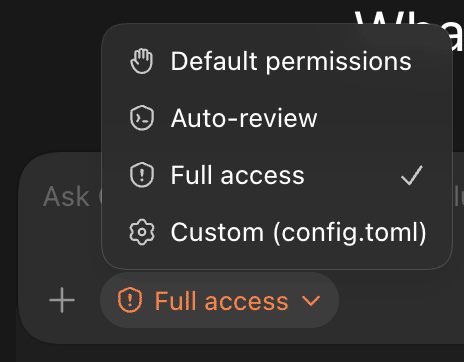
Step 4) Then copy / paste the text for your agent (Codex and/or Claude Code).
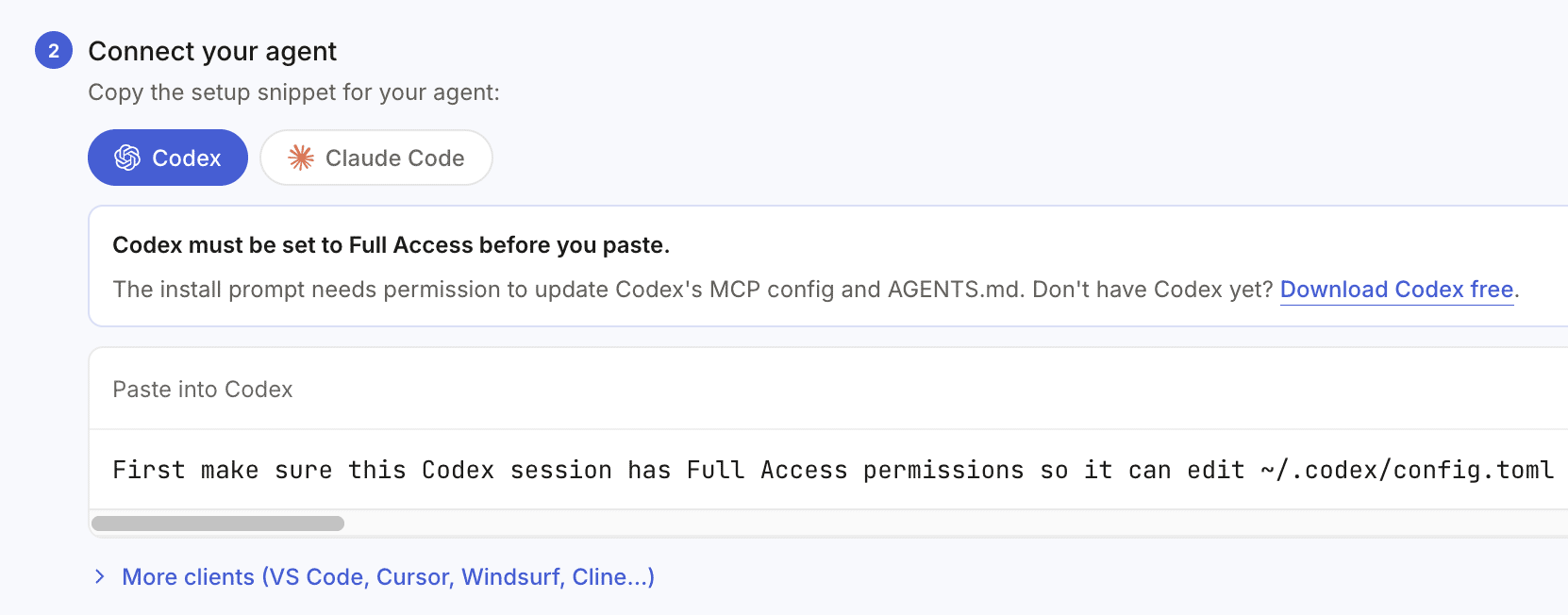
It should look like this after copy / pasting the command in your terminal.
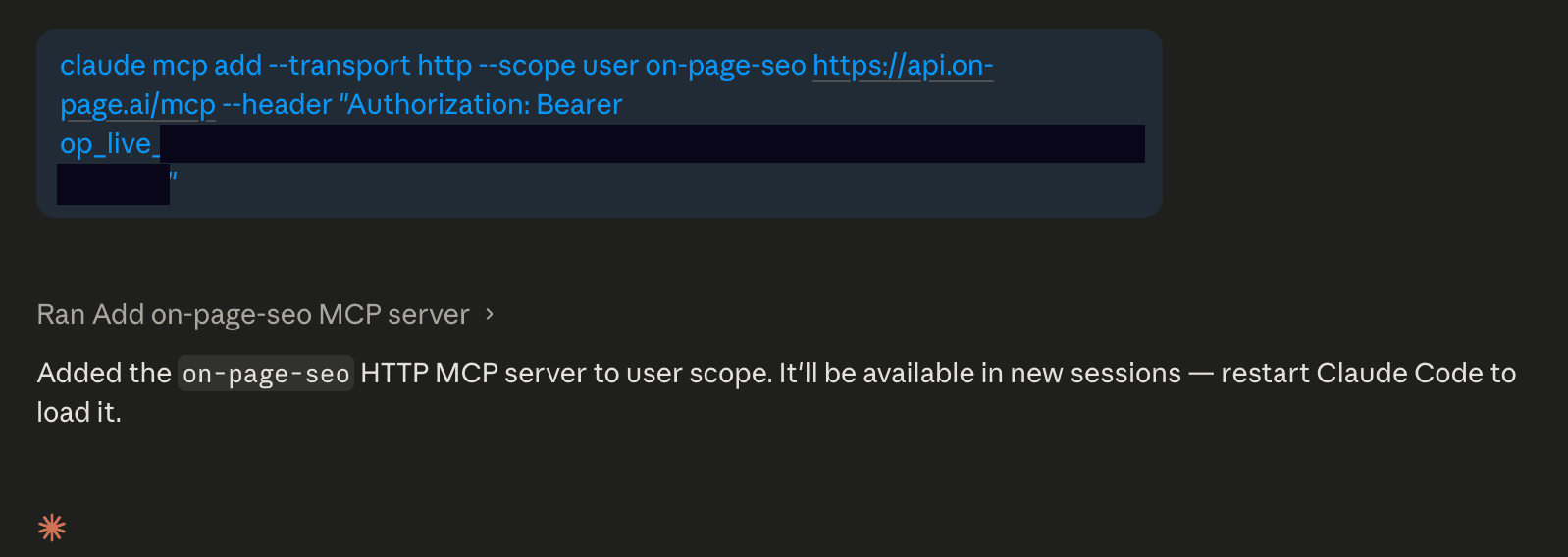
Step 5) Restart Codex / Claude Code and that's it!
Your AI agent will have access to all the SEO data it needs to perform all your SEO tasks.
Connecting WordPress (REST)
The process of connecting WordPress REST is extremely quick and easy.
Step 1) Go to your /wp-admin dashboard, click on "Users", "Profile"
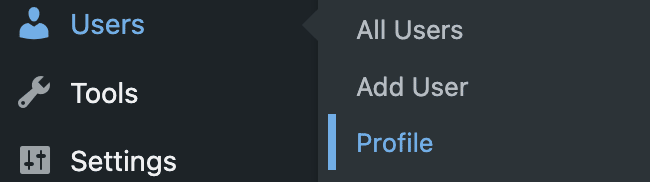
Step 2) Scroll down to the "Application Passwords" section and create a new application name: "AI"
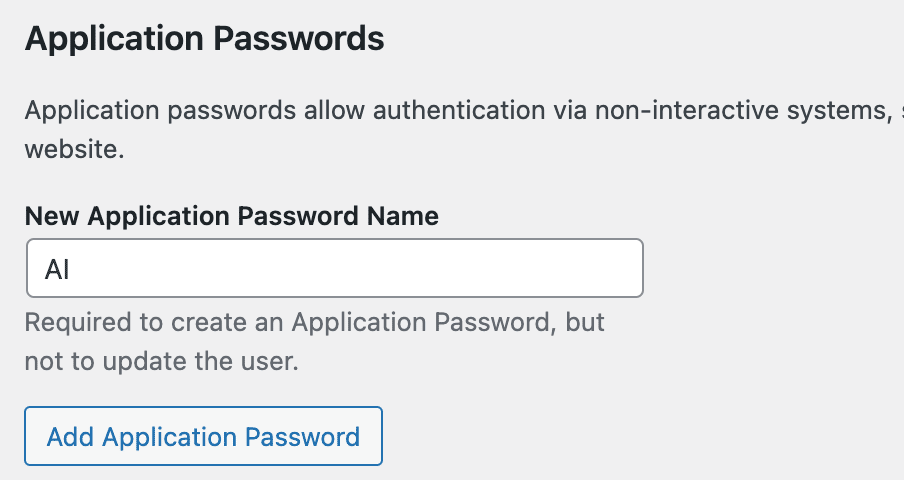
Step 4) You will have a unique password for your website. Make a note of the password and scroll back up to the top to make a note the username of your profile (for example, "admin").
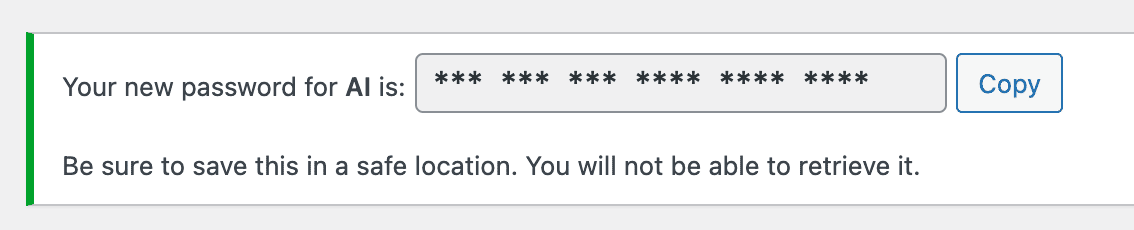
At this point, you have a username and password for REST access.
There are two different ways to proceed (one 'proper' way which is a bit safer / longer) and the other way is just to give the credentials to the AI directly.
Step 5 - (EASY Method) Copy paste the username / password to your AI agent directly.
You now have REST access to the WordPress site https://www.yoursite.com/wp-admin/
username: admin
password: *** *** *** ***** ***** *****
Please connect and verify you have access without making any modifications. Confirm when you have access.
You can just give the credentials to the AI which will then test and store the access for you. This isn't the safest as technically it goes through the AI logs / transcripts however it is very convenient.
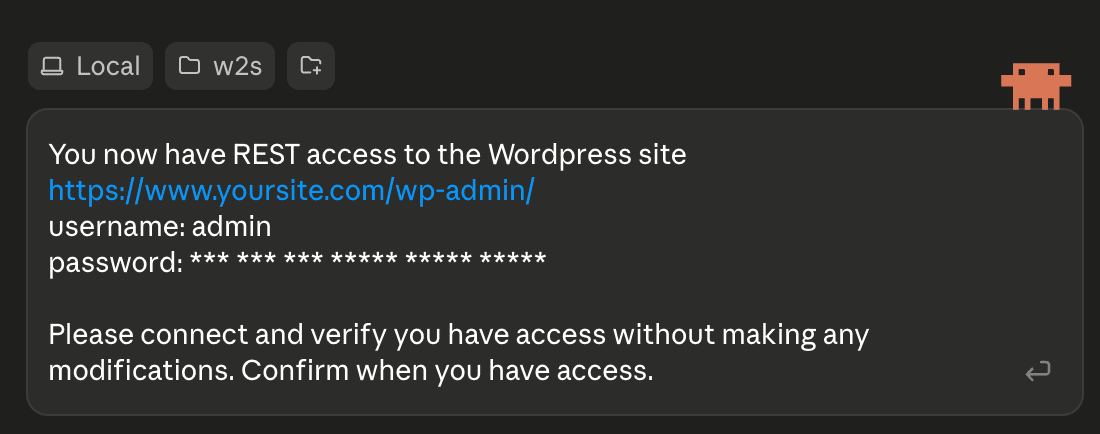
Step 5 - (Safer Method) The safer method is to create a .env file within your project directory and then copy/paste the username and password information there. That way, the AI can read the file without repeating the password.
That being said, make sure you don't accidentally upload or share your .env file anywhere!
Connecting Directly To A Server (SSH)
Step 1) Acquire the SSH credentials to your web server and make sure that SSH is enabled. Because there are thousands of different types of servers, you'll have to look up the exact method for your host.
(Sometimes you'll receive an email containing this information when you first sign up with your host. You may look up the old email and/or log into your host's dashboard.)
Step 2 EASY) When you have your credentials handle, one option is just to give the AI agent your credentials directly and let it handle the rest. (This isn't the most secure thing in the world but it sure is easy and convenient)
You now have SSH access to the site https://www.yoursite.com/wp-admin/
username: admin
password: **************
Please connect and verify you have access without making any modifications. Confirm when you have access.
Step 2 - (Safer Method) The safer method for SSH is to edit the .env file that's likely already within your project directory and then copy/paste the username and password information there. That way, the AI can read the file without repeating the password.
Alternatively, I also sometimes use SSH-Manager which is an MCP plugin that reduces the token use for SSH and allows you to copy/paste all your logins into a single place.
That being said, make sure you don't accidentally upload or share your .env file anywhere!
And that's it! You should have everything connected and ready to go for any SEO work that might come your way.
Thank you!
(References, Further Readings, Support)
This AI recipe project represents a significant investment— both to build the On-Page MCP connector and to test the various AI workflows on real websites. The longest part was iterating over and over, improving our algorithms and training new AI models to replicate Google results as closely as possible to make sure that you get the best results.
I'd like to thank my team and all the testers that have helped along the way. I feel like we really reached a new level of SEO with these processes.
The reason I have chosen to make all my recipes publicly available at no cost is twofold, first if you use any On-Page.ai resources, it helps me to continue researching and developing new tools for you. Second, I have always felt a responsibility to help as many people as possible that have been recently affected by Google abrupt change in search visibility. While the SEO community has been hard at work, making our websites better than ever, Google has been unfairly reducing the share of traffic sent to websites (and in some cases, just blatantly taking your content and sharing as it's own).
I believe the SEO community has been pushed around enough and it's finally time to fight back against unfair practices.
To those people, I hope these new workflows help you.
If you run an SEO agency, I hope these new recipes will not only help you perform the work for your clients, but also help you acquire new clients and reduce the time it takes to create reports / deliverables. I believe that this year might be one of the best years ever to grow an agency.
If you're an SEO professional working within an enterprise setting, then I hope this new evidence based SEO approach will help you scale your optimizations efforts across a large portfolios of websites. My hope is that you'll be able to make better decisions that can be justified, scaled and provide an audit trail.
Should you feel this resources valuable, feel free to share this page within your professional network, within Facebook groups, Slack/Skype/Discord chats and forums.
If you want to run the recipes above, the On-Page.ai MCP connector is the bridge — it gives Claude, Codex, or any compatible agent the live SERP intelligence data the recipes require, you can install it here.
Created with Google's best practices at its foundation, the platform aims to optimize your rankings by staying ahead of Google's frequent updates. One of my main motivations for keeping up with the latest SEO trends is to continually refine the On-page.ai API / MCP connector, ensuring it embodies the most effective ranking strategies. From discovering the most relevant entities to link building with relevance, to building topical authority, and creating incredibly well-researched content, On-Page.ai has you covered.
I'm confident that it can be a valuable asset in ranking your website online.
Here are some useful links:
- Official MCP / API Connector For On-page.ai
- Google's AI Optimization Guide
Should you wish to contribute any recipes, use cases, case studies or any corrections, please email me at team@on-page.ai
Sincerely,
- Eric Lancheres
Written By Eric Lancheres, On-Page.ai


Eric Lancheres is an SEO researcher and founder of On-page.ai. He has been featured as an authority at Traffic & Conversion Summit, SEO Rock Stars, SEO Video Show and countless other interviews and podcasts.
For 17 years, he researched SEO trends, coached business owners and agencies, conducted experiments, and published his findings.
Eric has poured all his accumulated knowledge, best-kept secrets, and proven processes into the development of On-Page.ai, making it the go-to tool for effective online ranking.

© Copyright 2026 On-Page. All Rights Reserved